Setup steps
Install the app
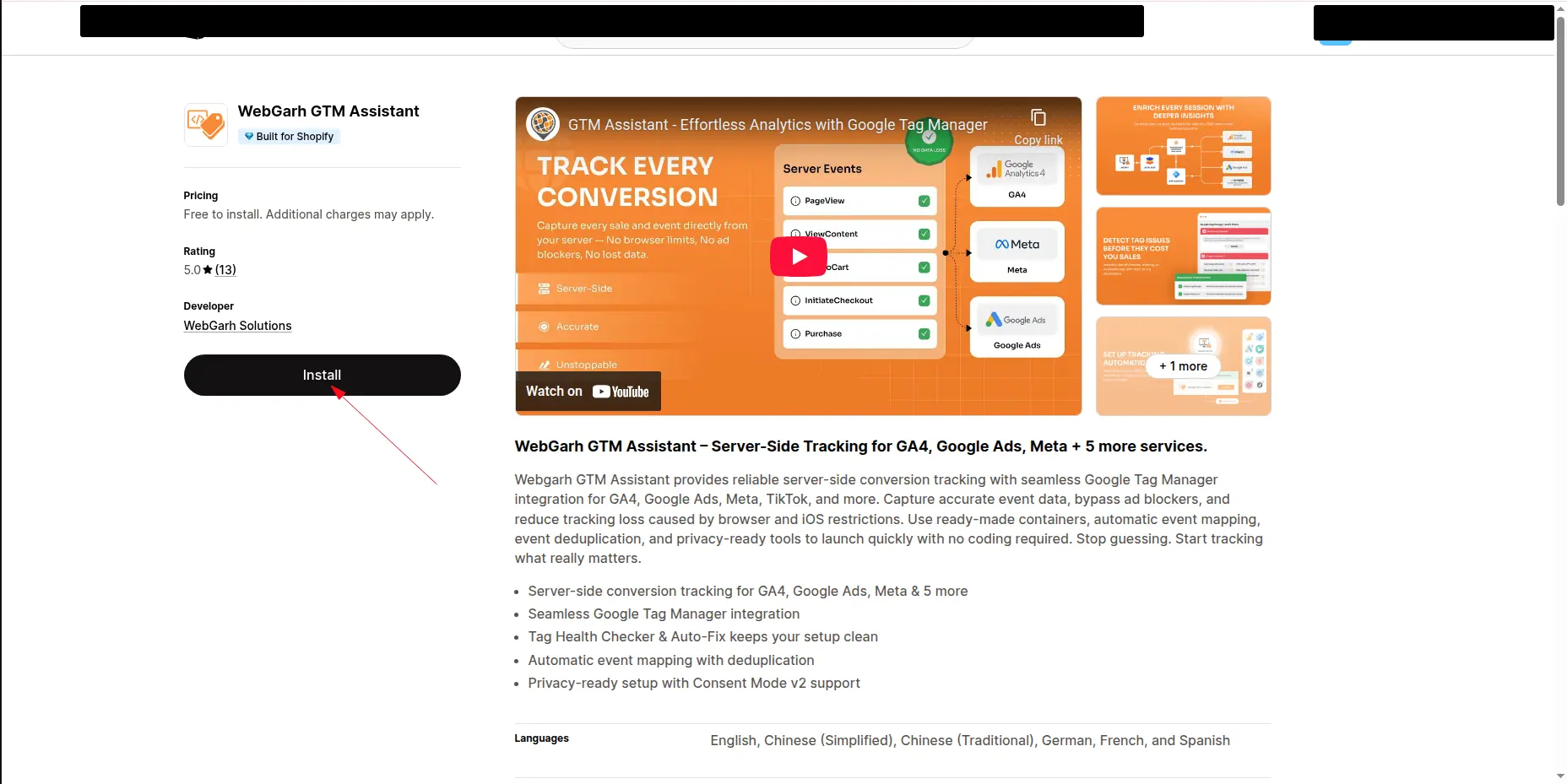
- Open the Webgarh GTM Assistant listing in the Shopify App Store and click Install.
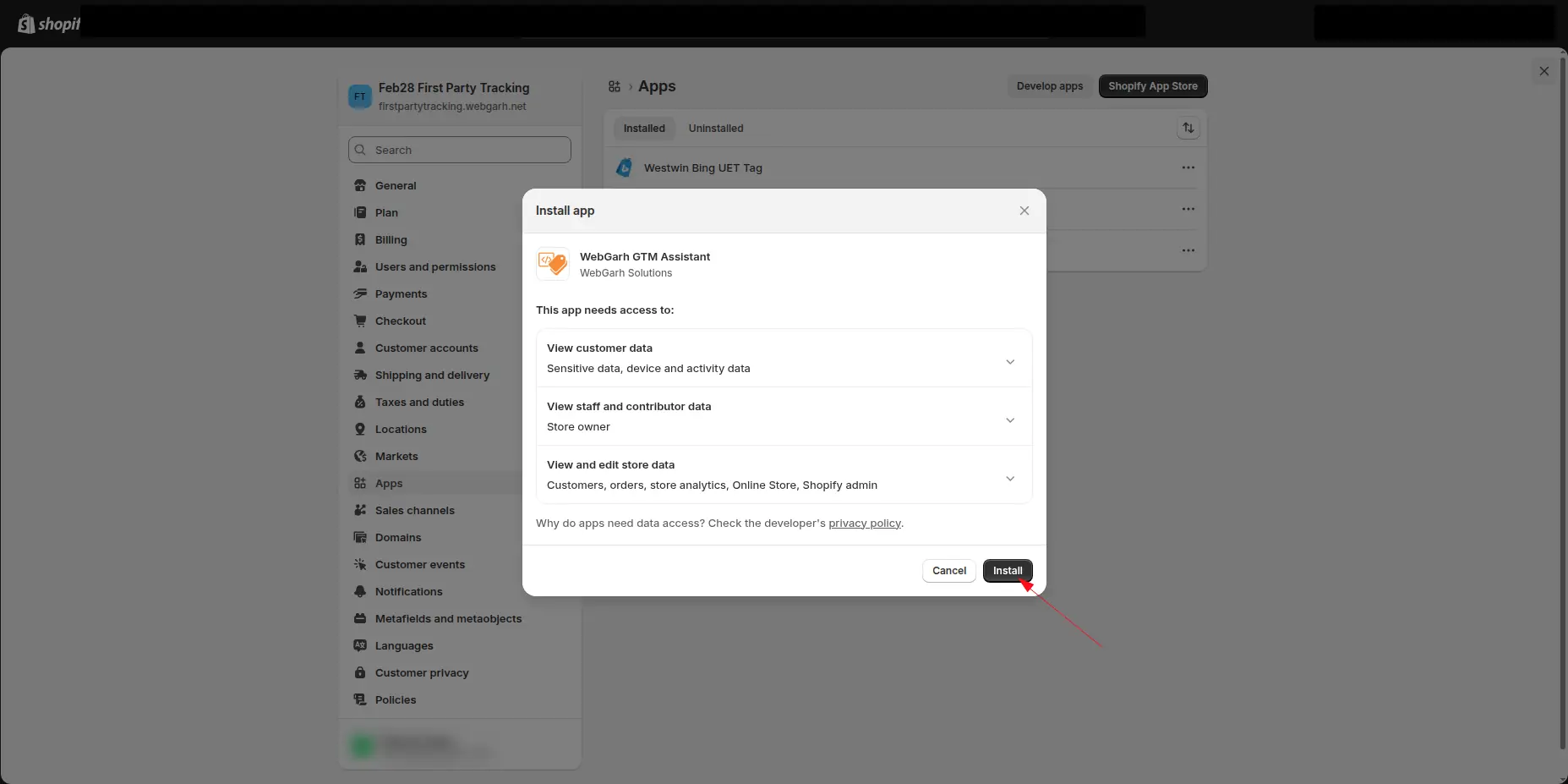
- Review the requested permissions in Shopify and confirm the app installation.
Activate your plan
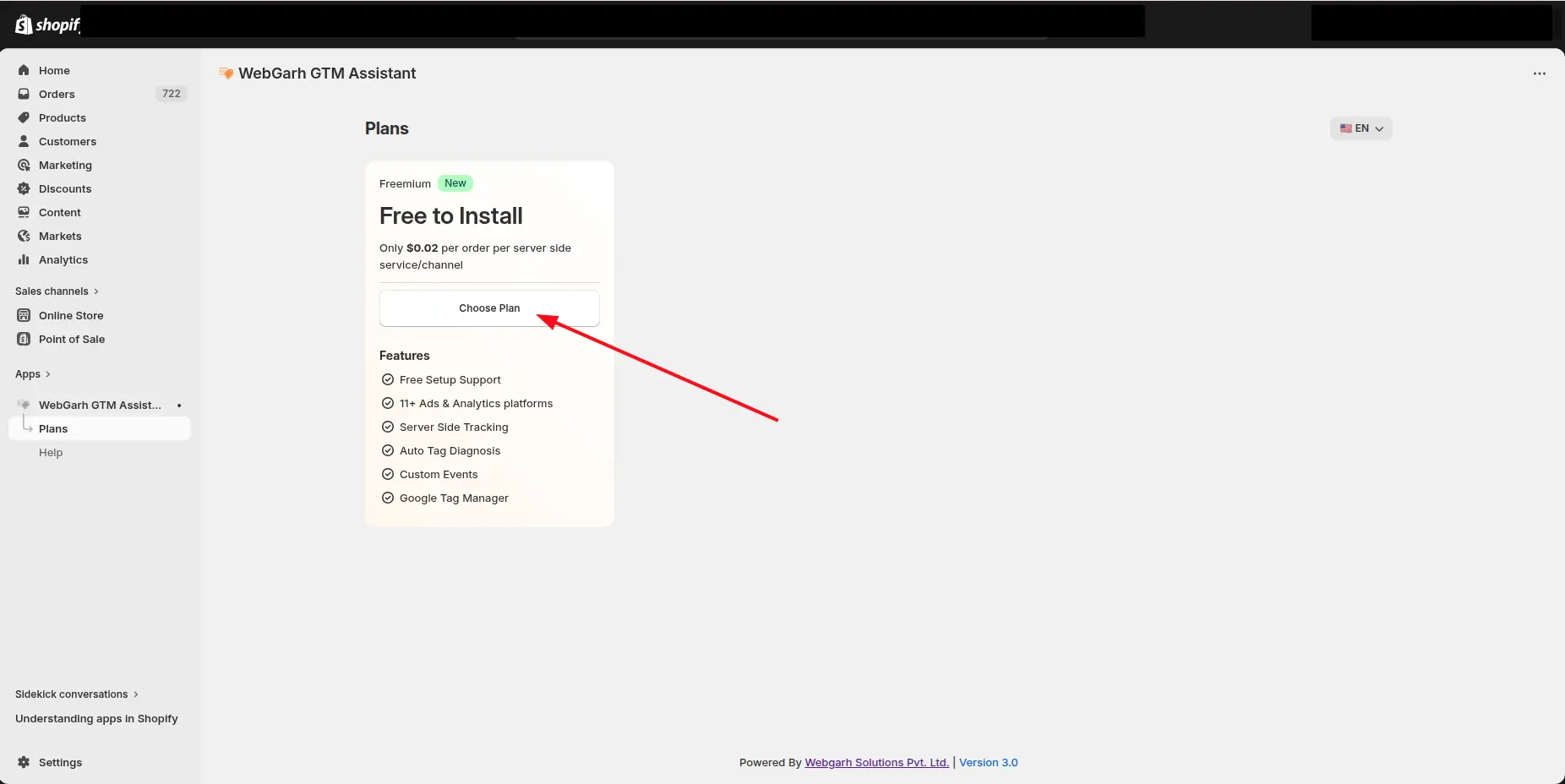
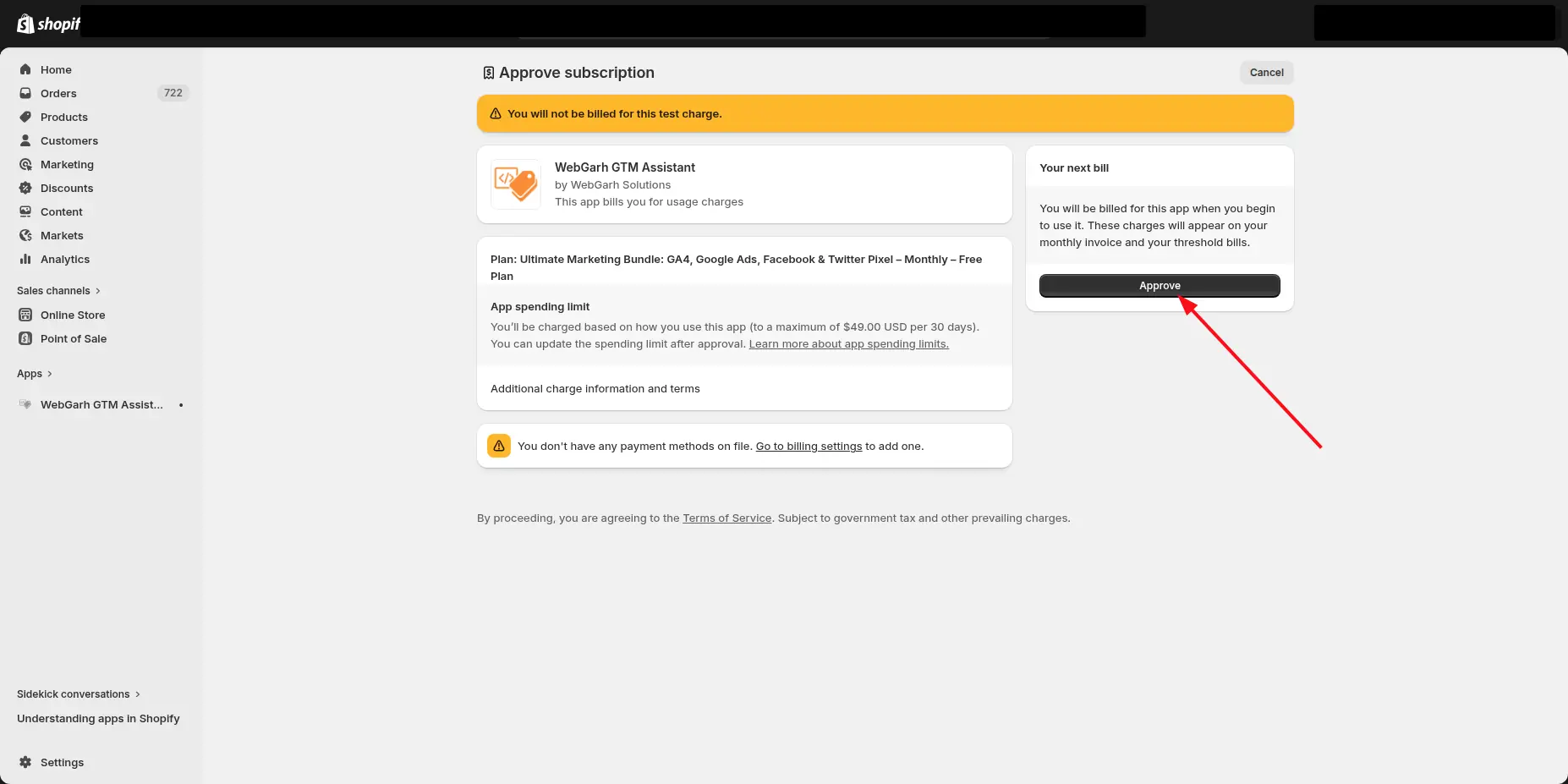
- Choose the plan you want to use. Pay as you go is $0.02 per order, per server-side platform.
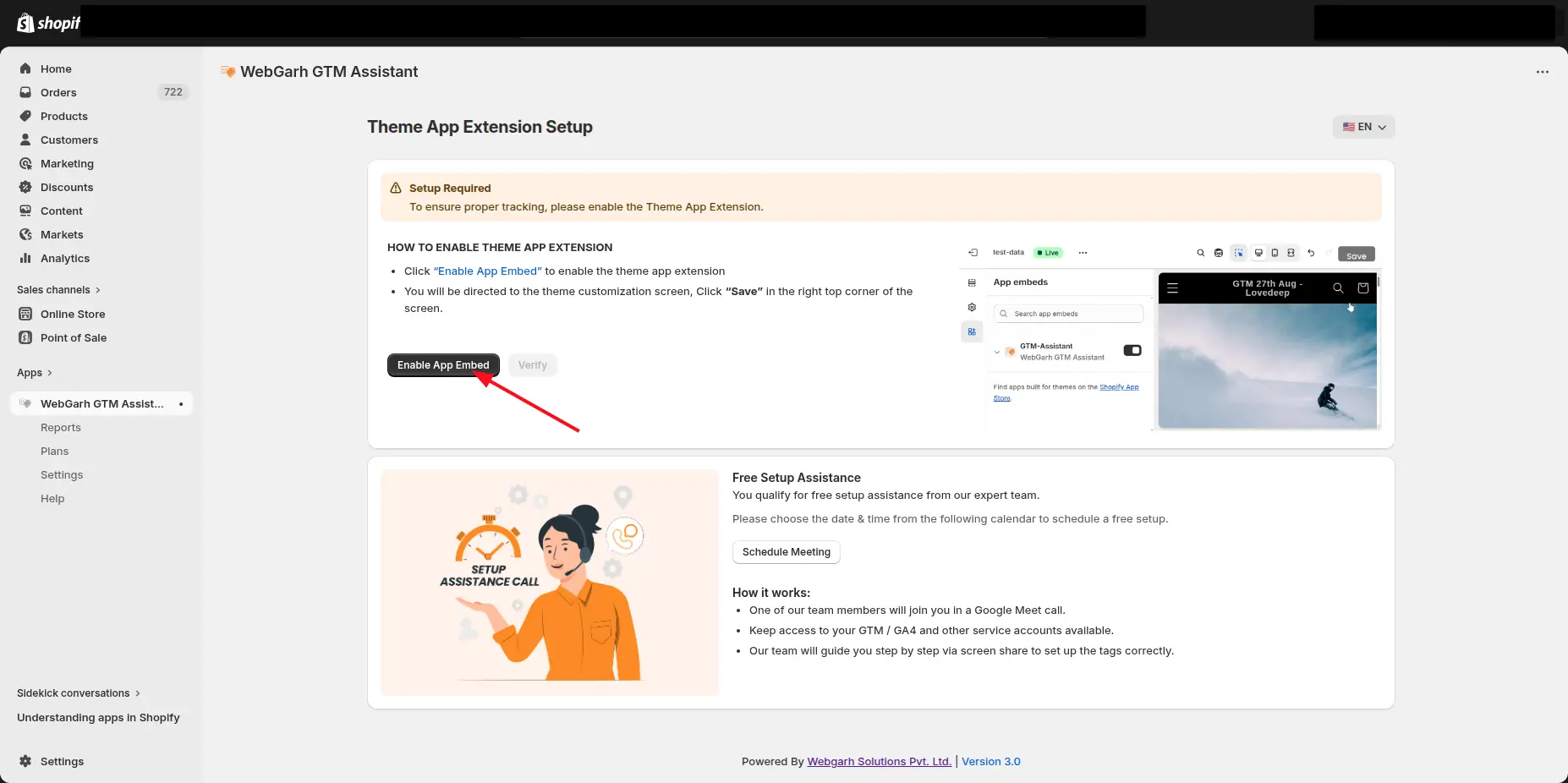
Enable the app embed
- In Shopify, open the Theme Editor from the app prompt.
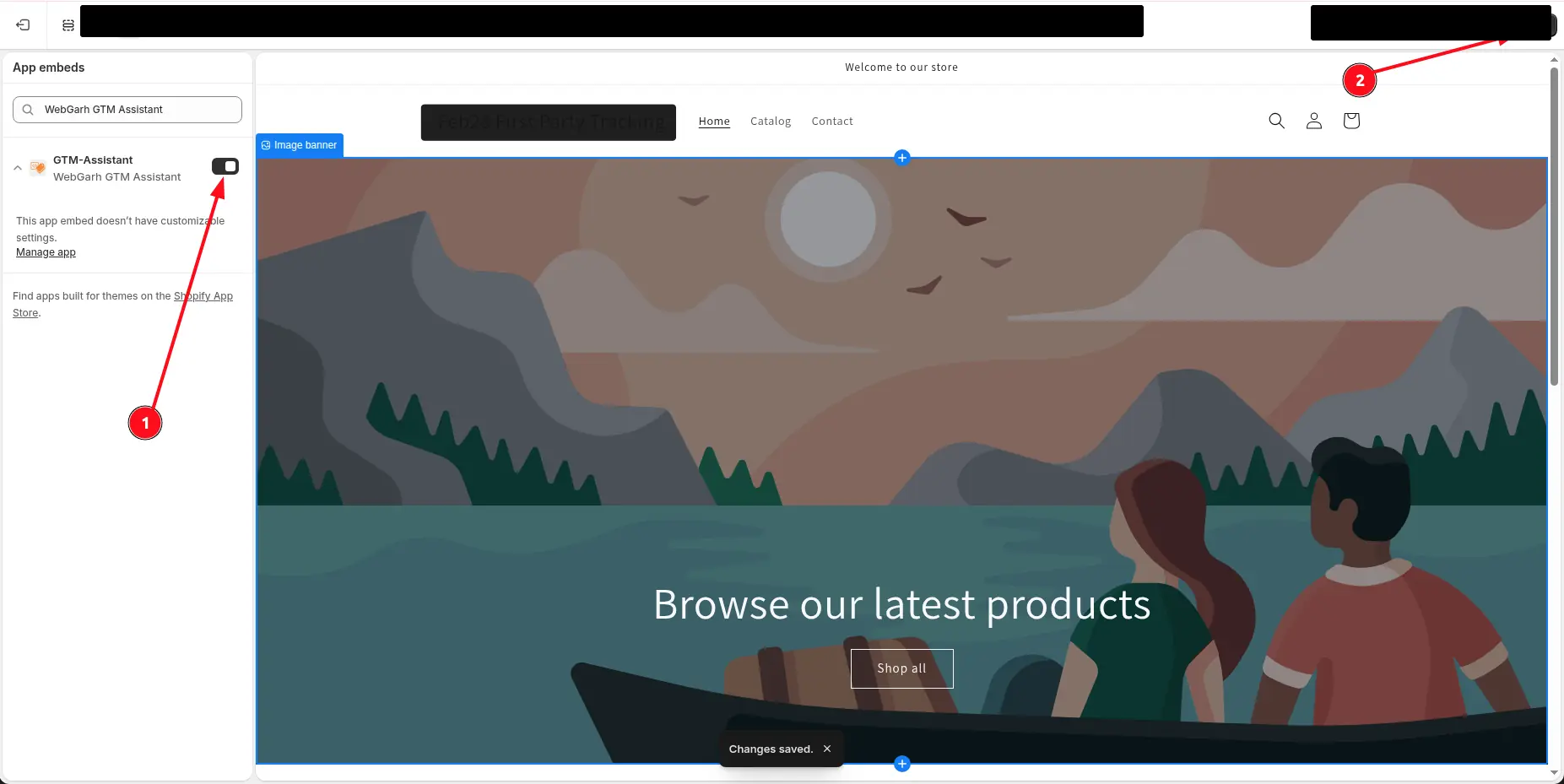
- Toggle the Webgarh App Embed to ON.
- Save the theme changes so the app can safely track visitors on the storefront.
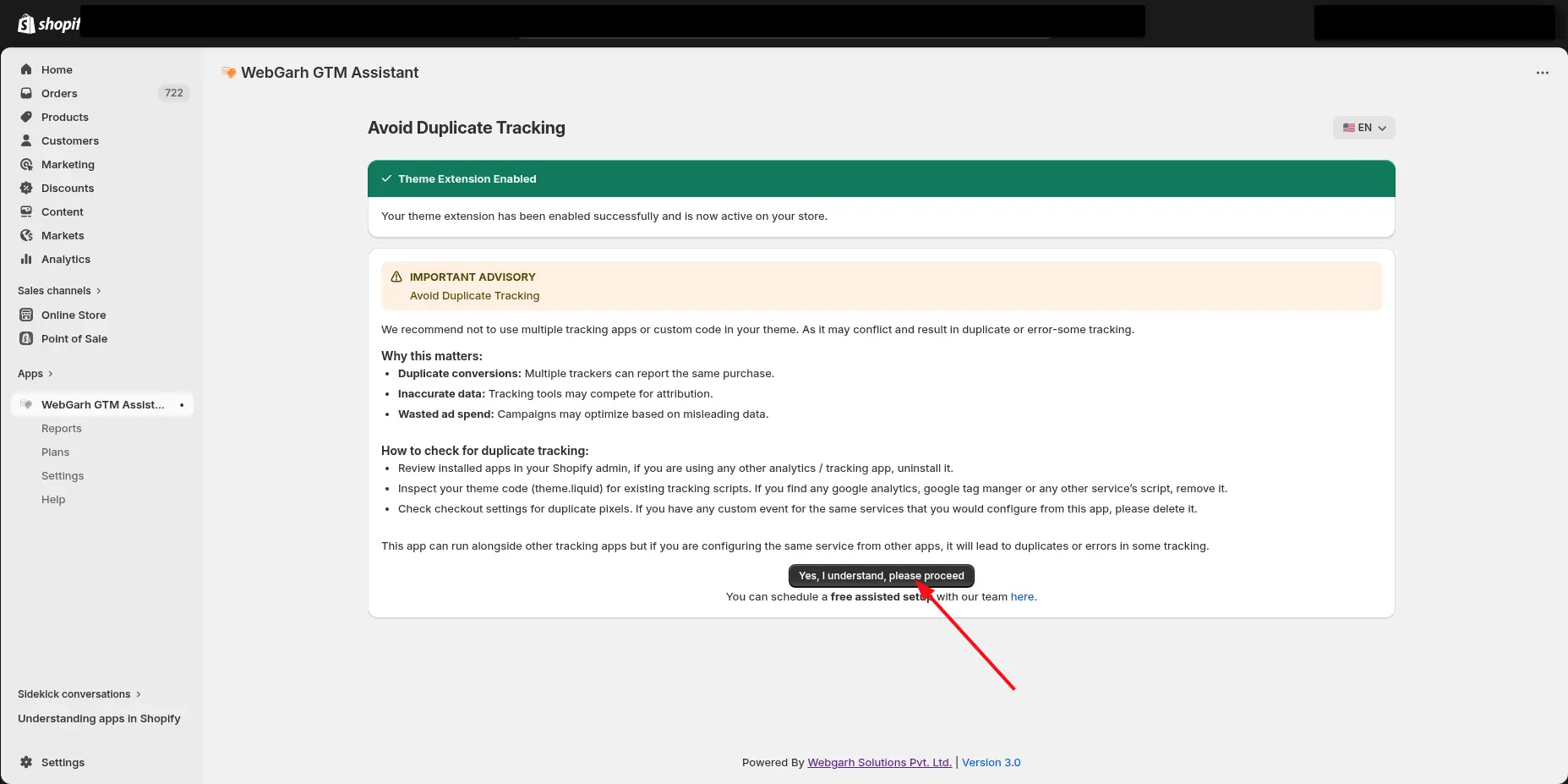
The app embed must be enabled before storefront tracking can run correctly.
Visual walkthrough
Use the screenshots below alongside the steps above to match each instruction with the correct screen in the platform.
Select a screenshot to open it full size.