Setup steps
Connect Microsoft Advertising
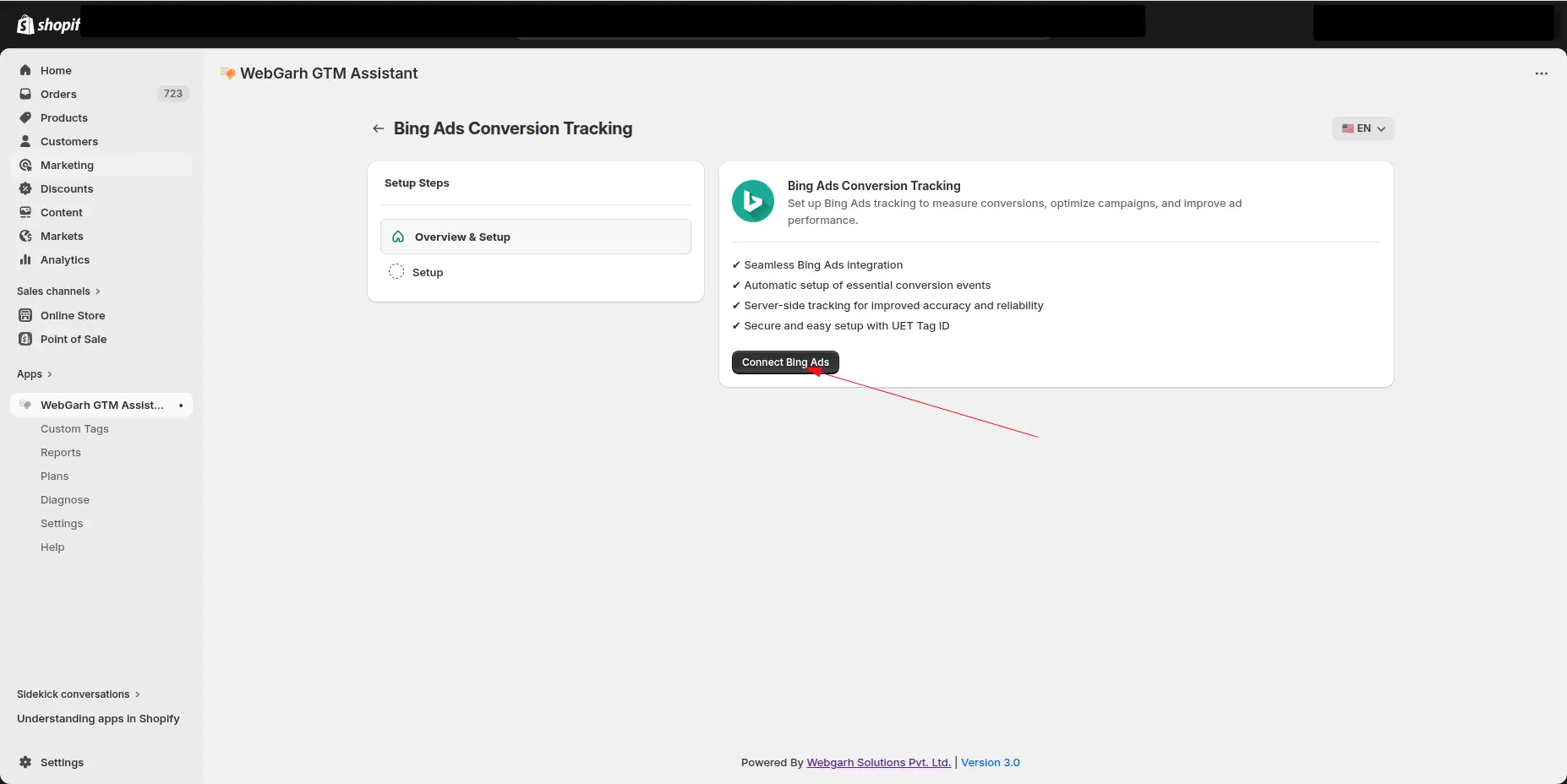
- In Webgarh GTM Assistant, click Login for Bing Ads.
- Sign in with your Microsoft Advertising account.
- Select the ad account used for your store.
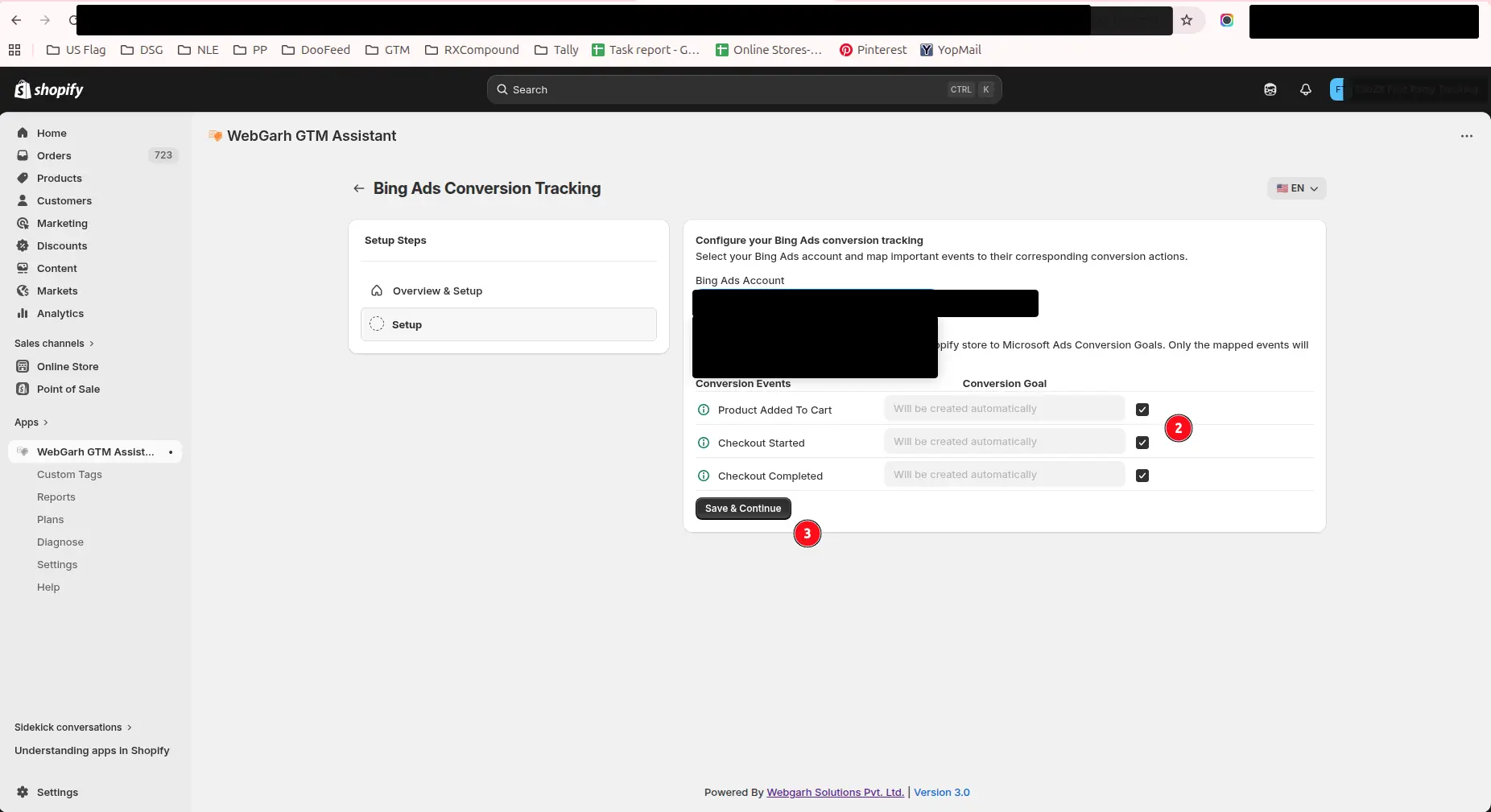
Choose conversion goals
- Pick the conversion goals you want to track.
- Select all recommended events such as Purchase, Add to Cart, and Begin Checkout for better optimization.
- Click Save to finalize the connection.
New conversion goals typically take about 12 hours to verify the data stream. Microsoft reports may take a few hours to update visually.
Visual walkthrough
Use the screenshots below alongside the steps above to match each instruction with the correct screen in the platform.
Select a screenshot to open it full size.