Setup steps
Find your Pixel ID
- Log in to TikTok For Business.
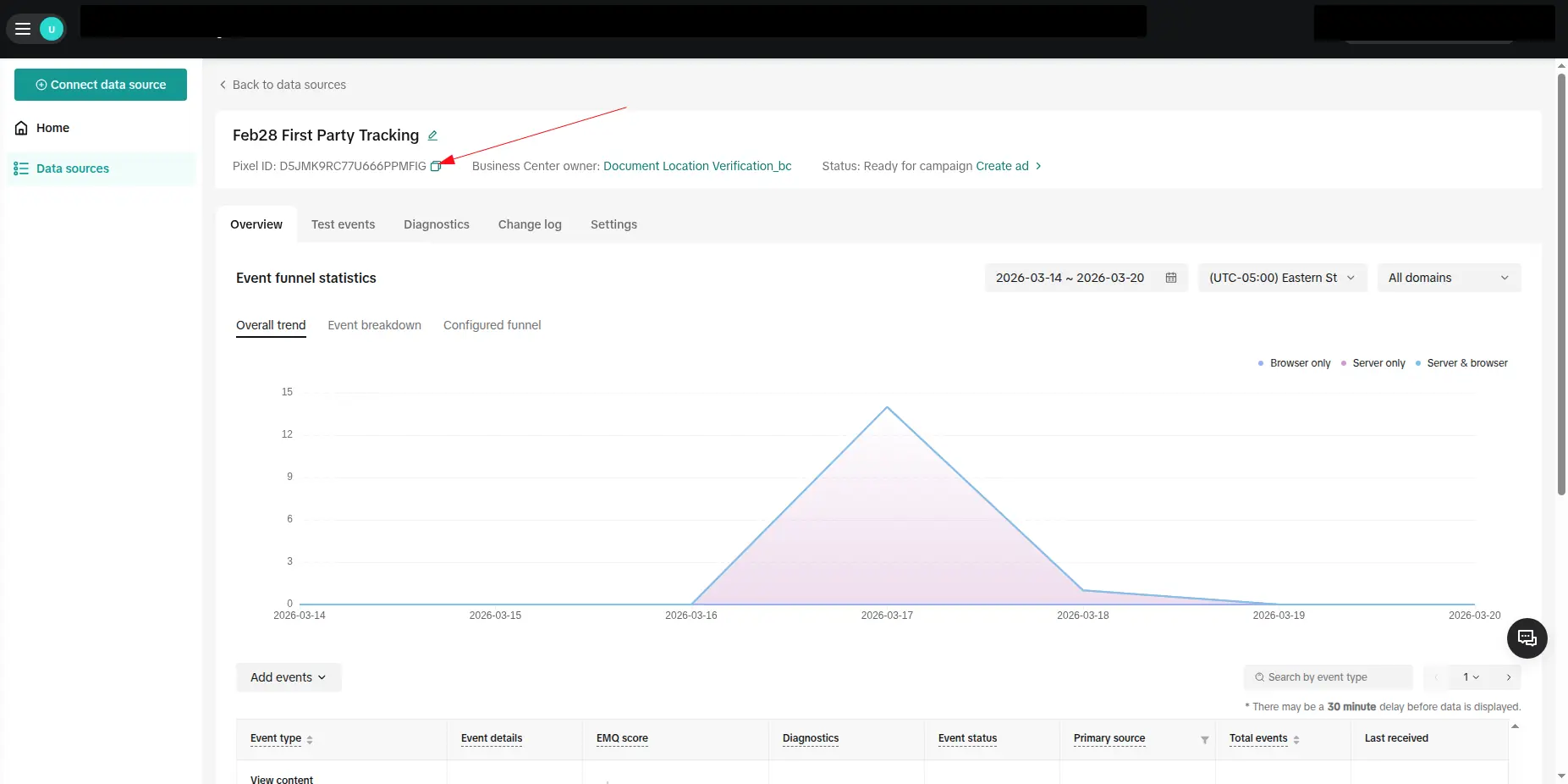
- Go to Assets > Events in Event Manager.
- Select your web event data source or create one for your store.
- Copy the TikTok Pixel ID below the data source name.
Generate your access token
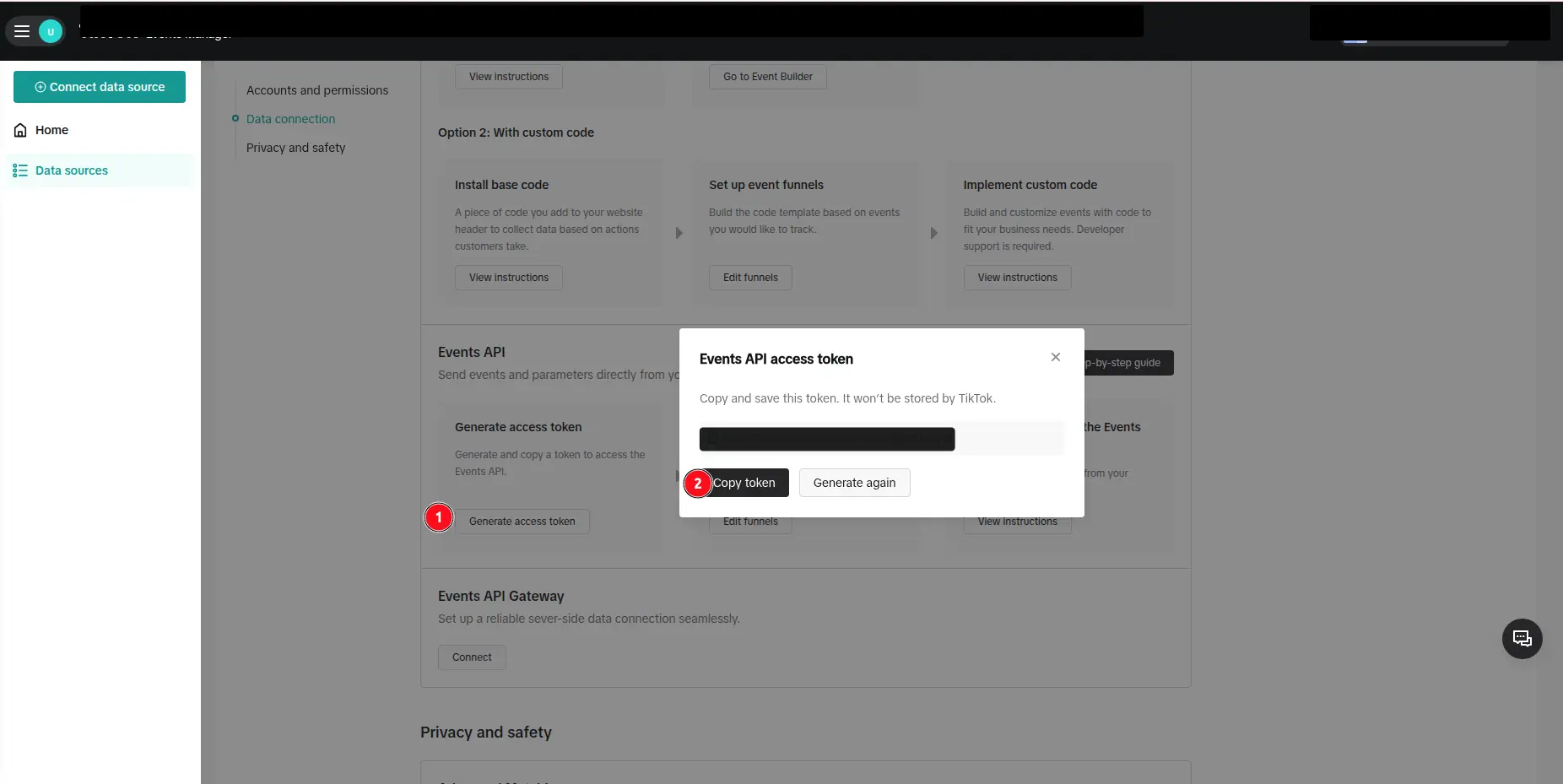
- In the same data source, open Settings.
- Scroll to the Events API section.
- Click Generate Access Token.
- Copy the token.
Connect in Webgarh GTM Assistant
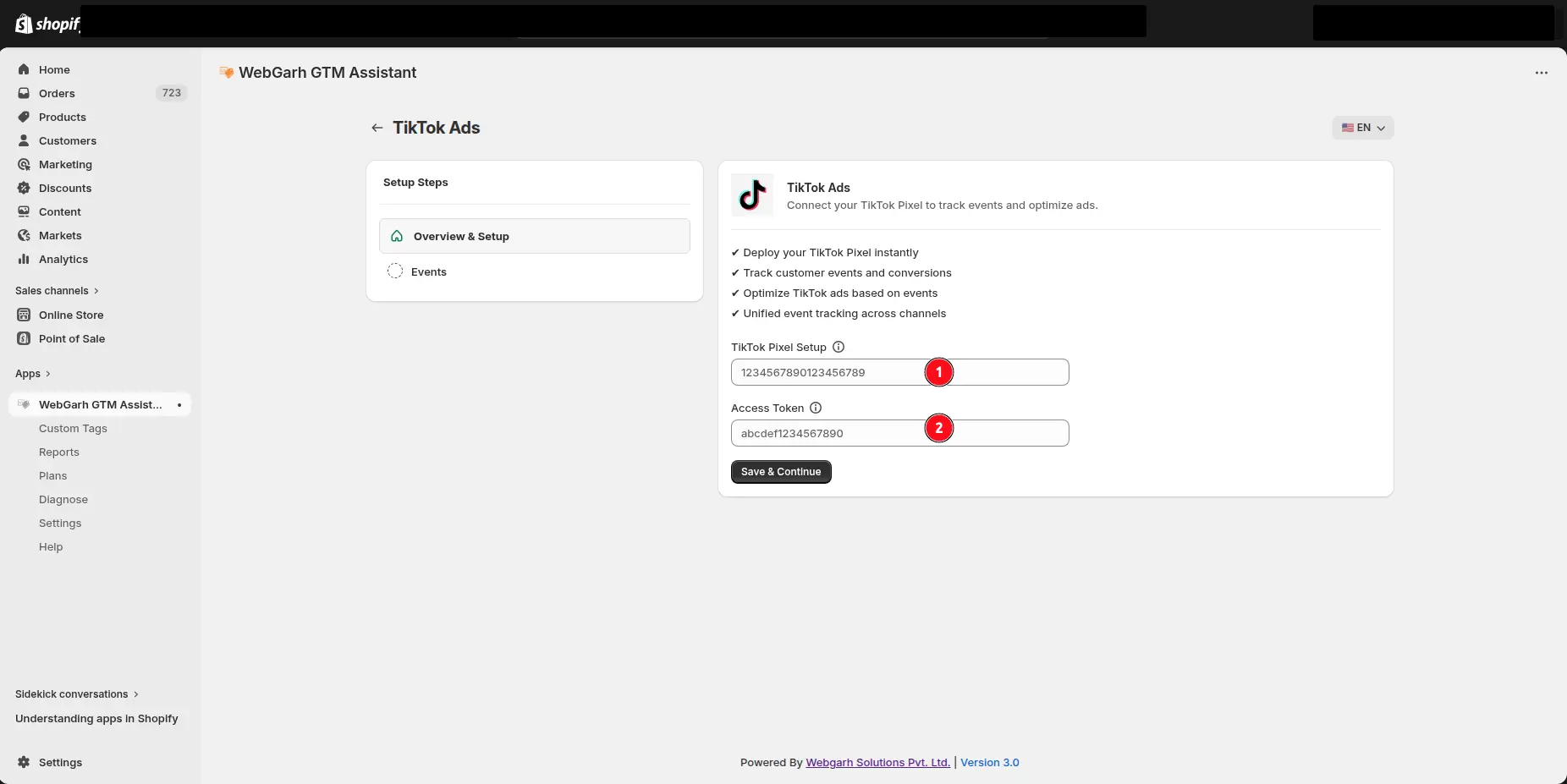
- Click Connect for TikTok in Webgarh GTM Assistant.
- Paste the Pixel ID and Access Token.
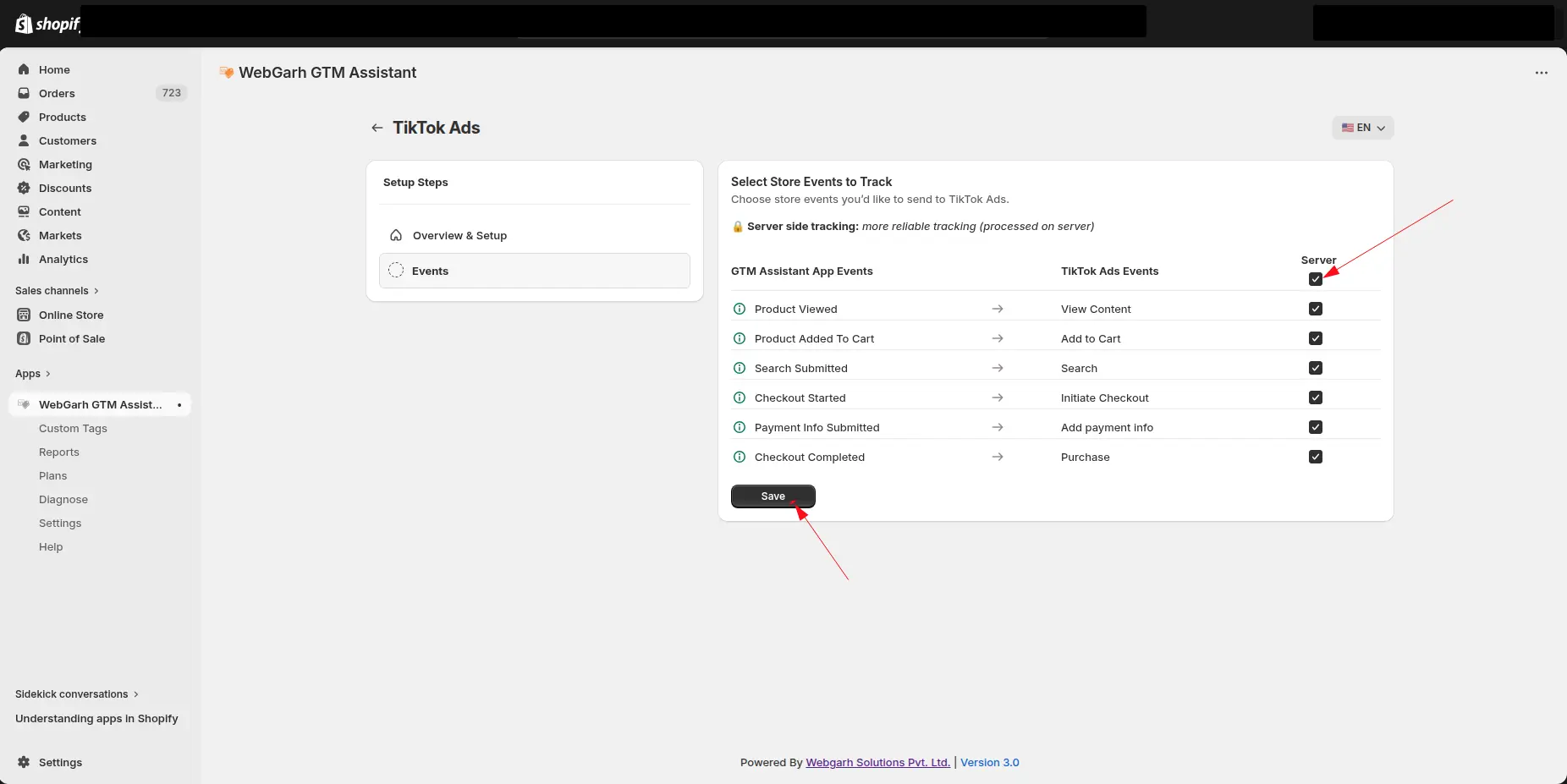
- Select the conversions you want to track.
- Save your settings.
New conversion goals typically take around 12 hours to verify. TikTok Events Manager reporting can have a slight delay.
Visual walkthrough
Use the screenshots below alongside the steps above to match each instruction with the correct screen in the platform.
Select a screenshot to open it full size.