New: OpenAI (ChatGPT) Ads is now supported, server-side.

Connect Quora Ads to Webgarh GTM Assistant

Use this guide to connect Quora Ads conversion tracking through Webgarh GTM Assistant.

Setup steps

Find your Quora details

  1. Log in to Quora Ads Manager.
  2. Open Account settings from the profile section.
  3. Copy the Account ID.
  4. Open the Conversion API tab.
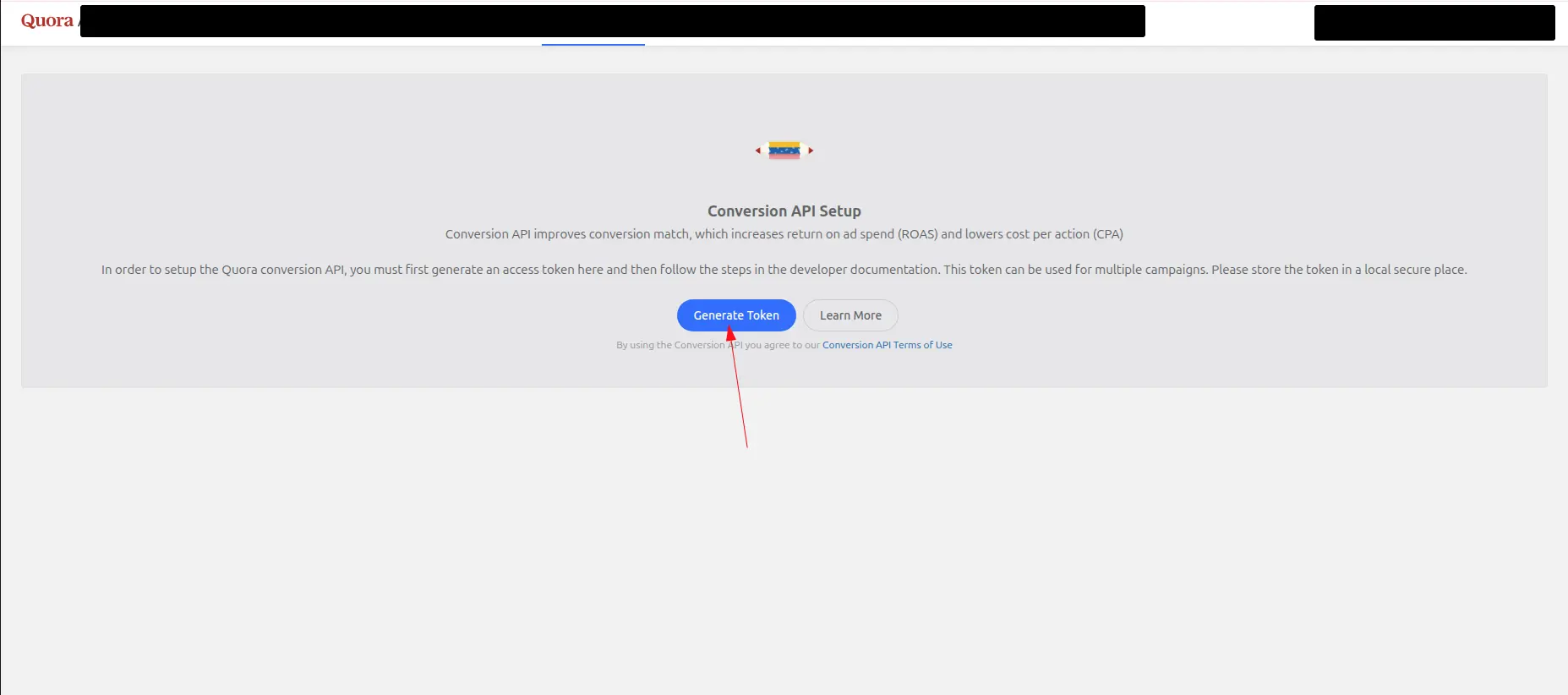
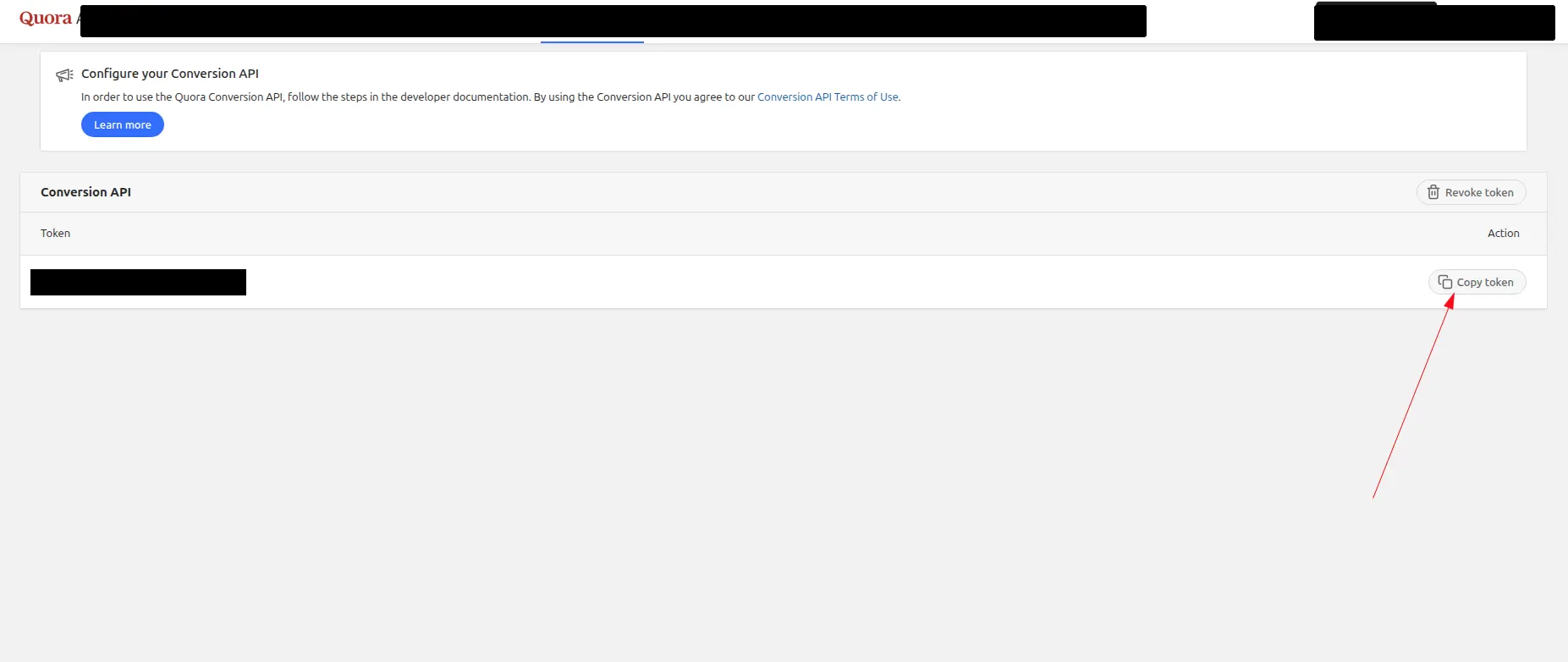
  5. Generate a token and copy it.

Connect in Webgarh GTM Assistant

  1. Open the Quora Ads section in Webgarh GTM Assistant and click Connect.
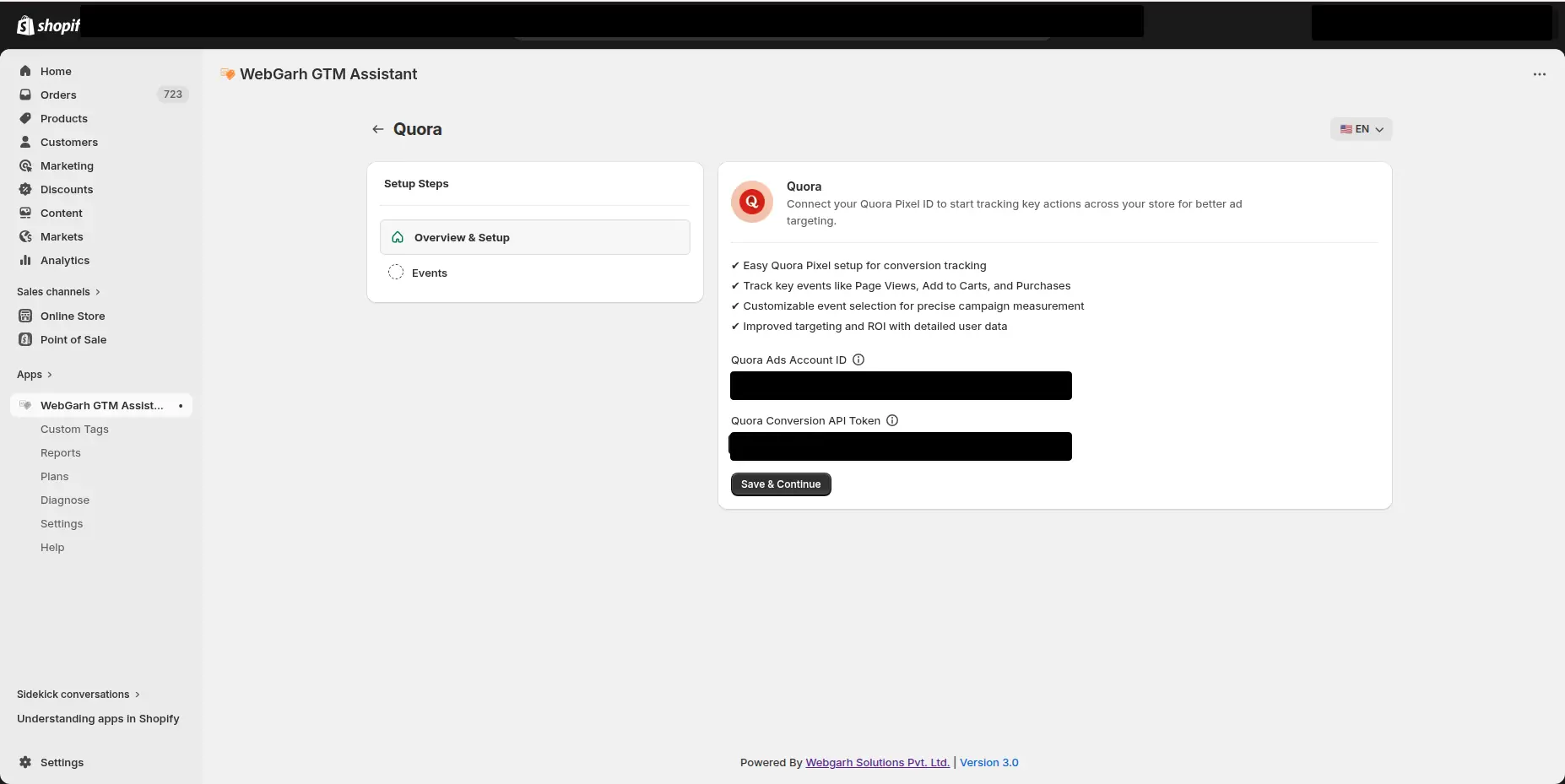
  2. Paste the Account ID and Access Token.
  3. Move to the next page.
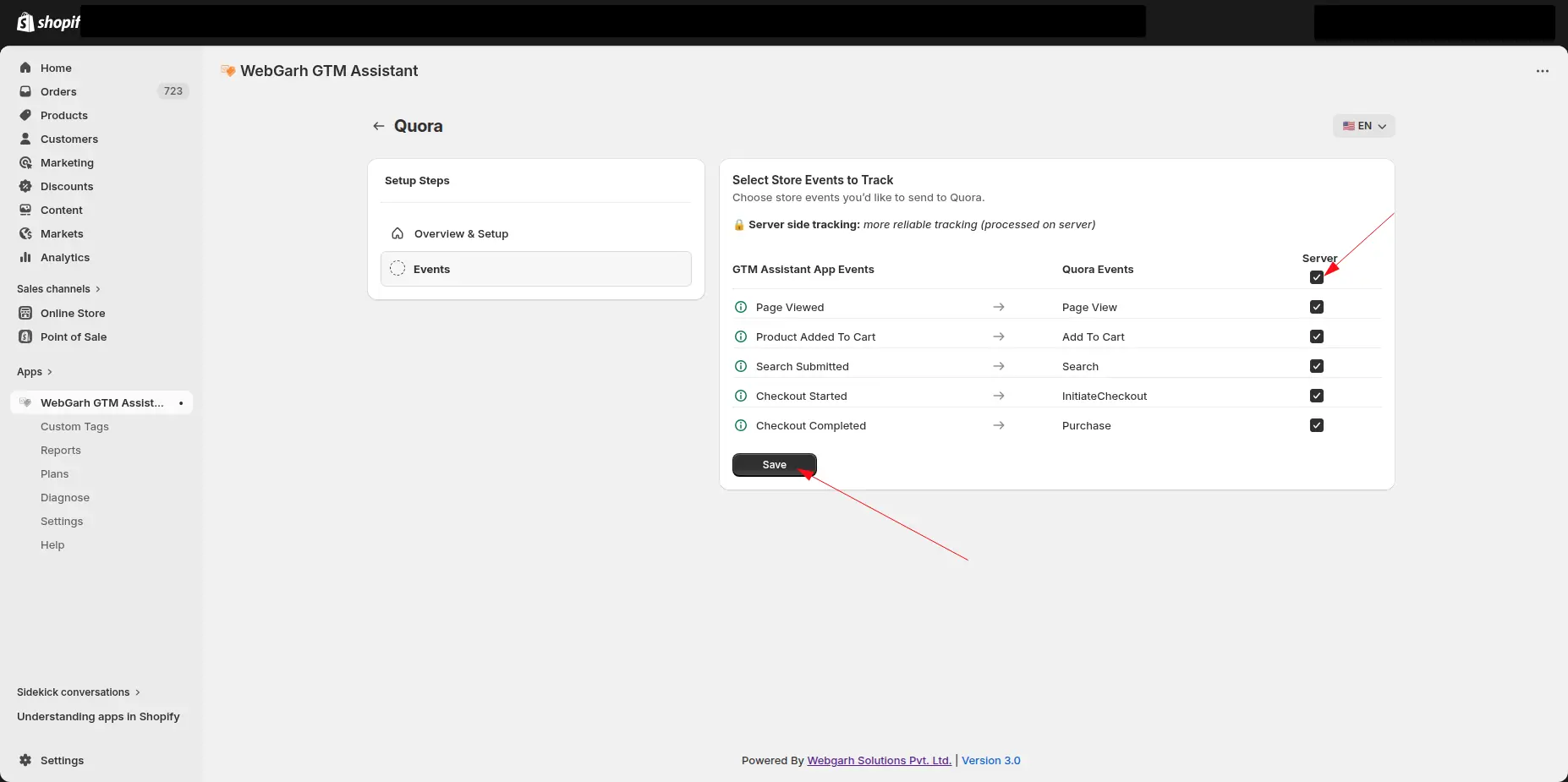
  4. Select the events you want to track.
  5. Click Save and wait for Connected status.

Recommended events can help Quora understand which question and topic traffic leads to valuable store actions.

Visual walkthrough

Use the screenshots below alongside the steps above to match each instruction with the correct screen in the platform.

Select a screenshot to open it full size.
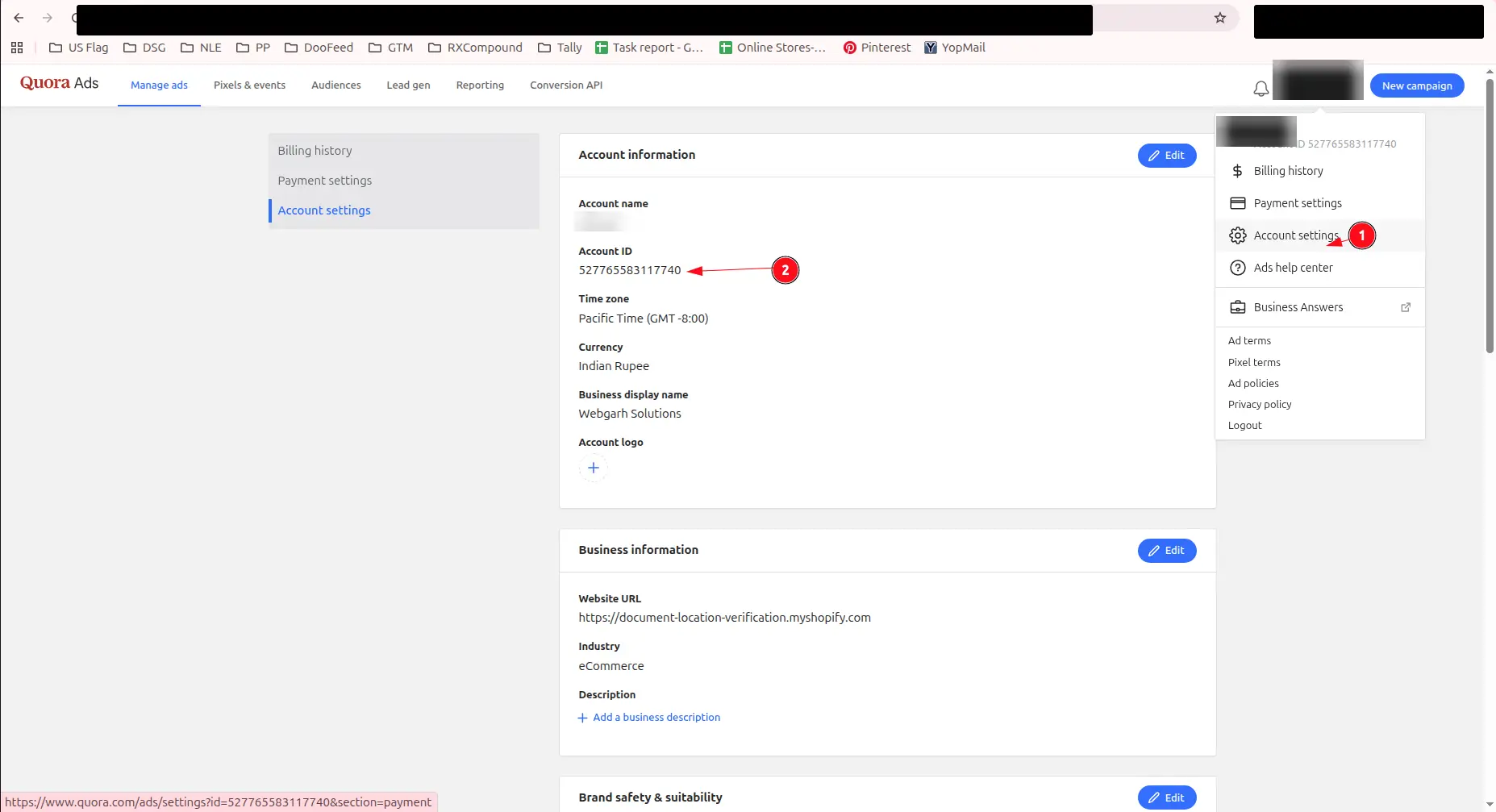
Quora Ads account settings: Account settings in the profile menu (1) and the Account ID (2) are marked.
Open Quora Ads account settings to find the account ID.
Quora Ads' Conversion API Setup page, with an arrow pointing to the Generate Token button.
Copy the Quora Ads account ID.
Quora Ads' Conversion API tab listing the new token, with an arrow pointing to the Copy token button. The token itself is blacked out.
Generate a Conversion API token in Quora Ads.
The Quora screen in GTM Assistant, with the Quora Ads Account ID and Quora Conversion API Token fields and the Save & Continue button.
Enter the account ID and token in Webgarh GTM Assistant.
The Select Store Events to Track step for Quora, matching store events such as Page Viewed and Checkout Completed to Quora events, with arrows pointing to the Server tick box and the Save button.
Select Quora conversion events and save the connection.