Use this guide to install Webgarh GTM Assistant on your Shopify store, activate your plan, and turn on the theme app embed required for storefront tracking.
Setup Steps
Install the app
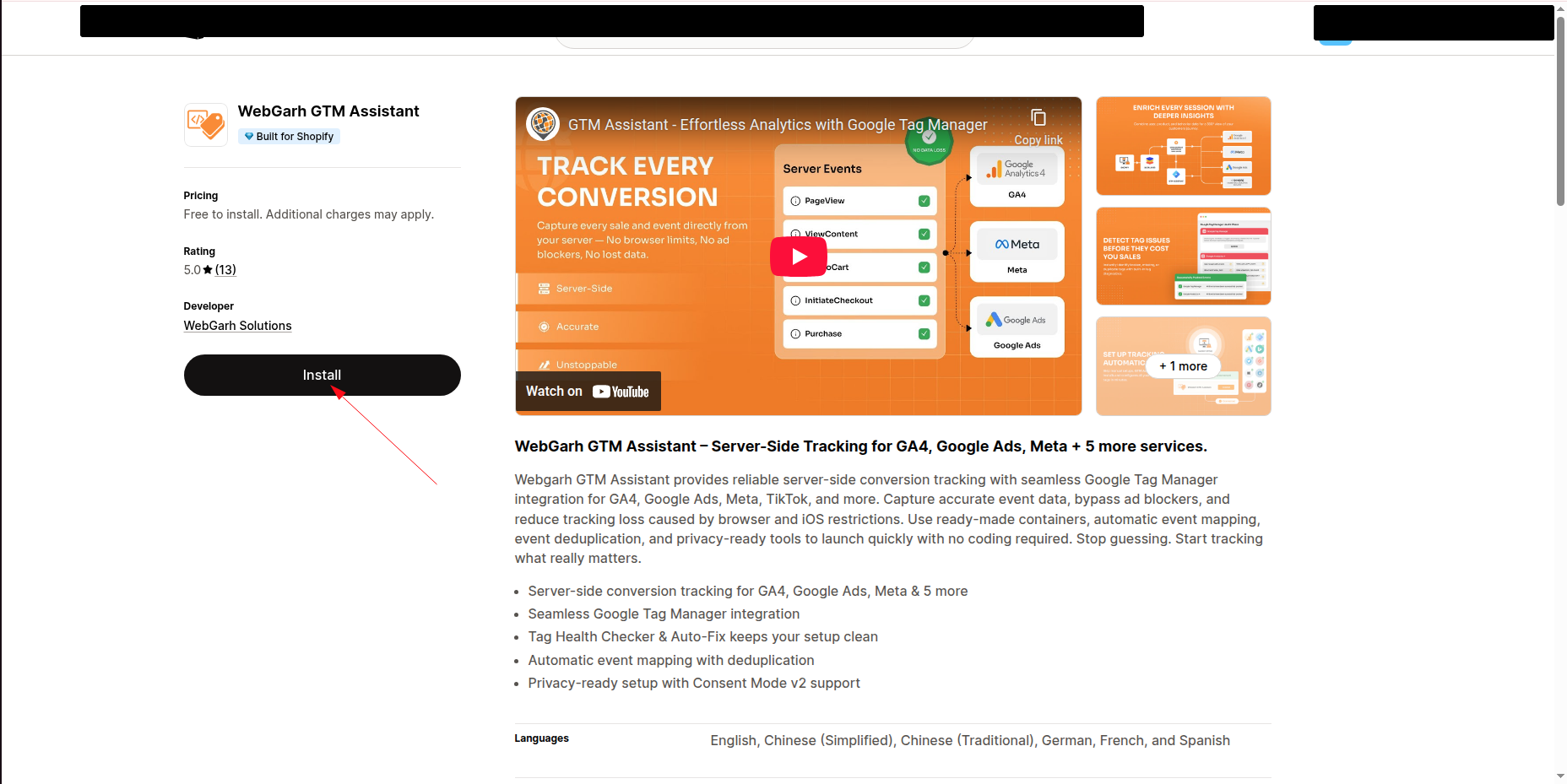
- Open the Webgarh GTM Assistant listing in the Shopify App Store and click Install.
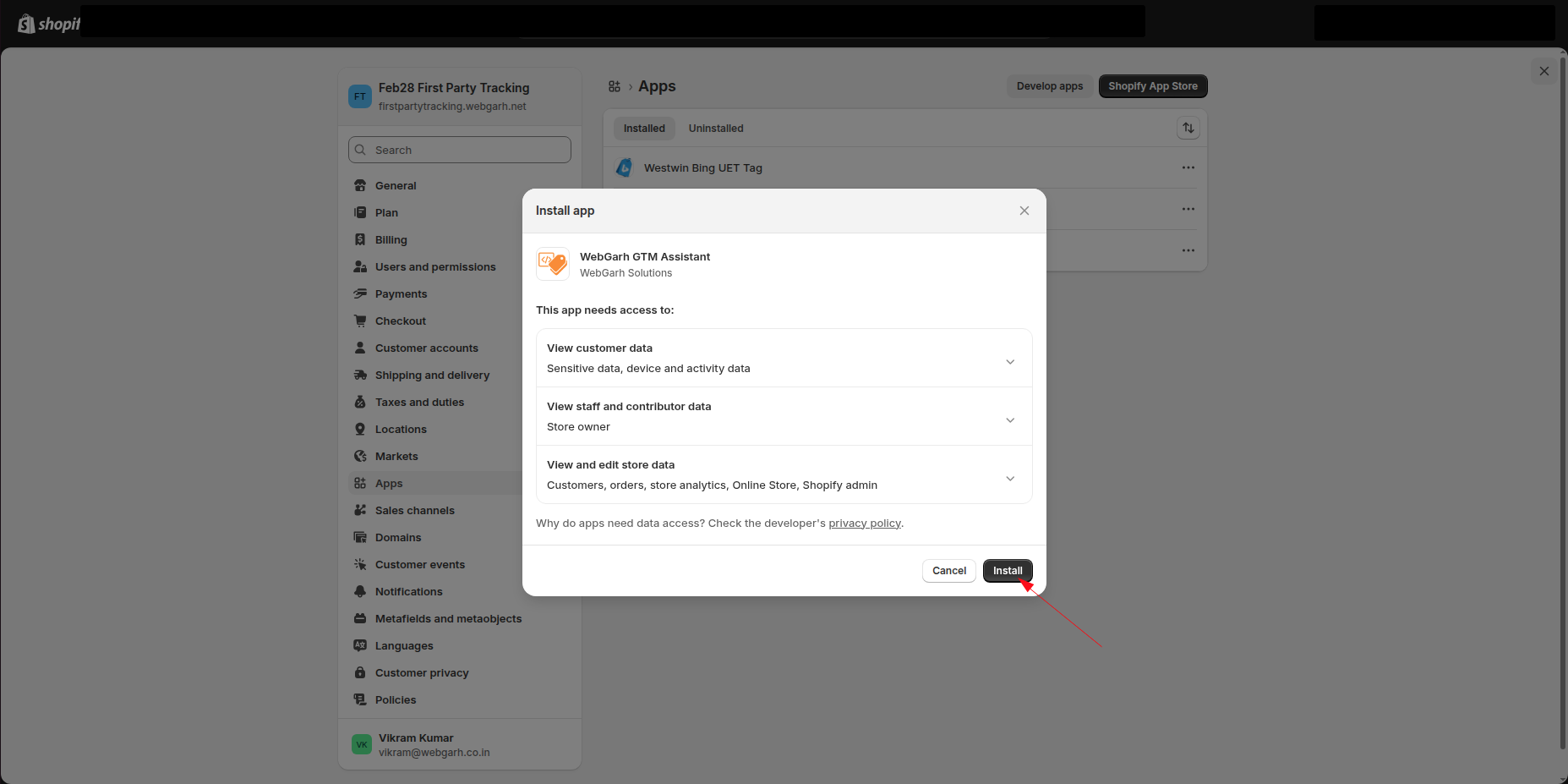
- Review the requested permissions in Shopify and confirm the app installation.
Activate your plan
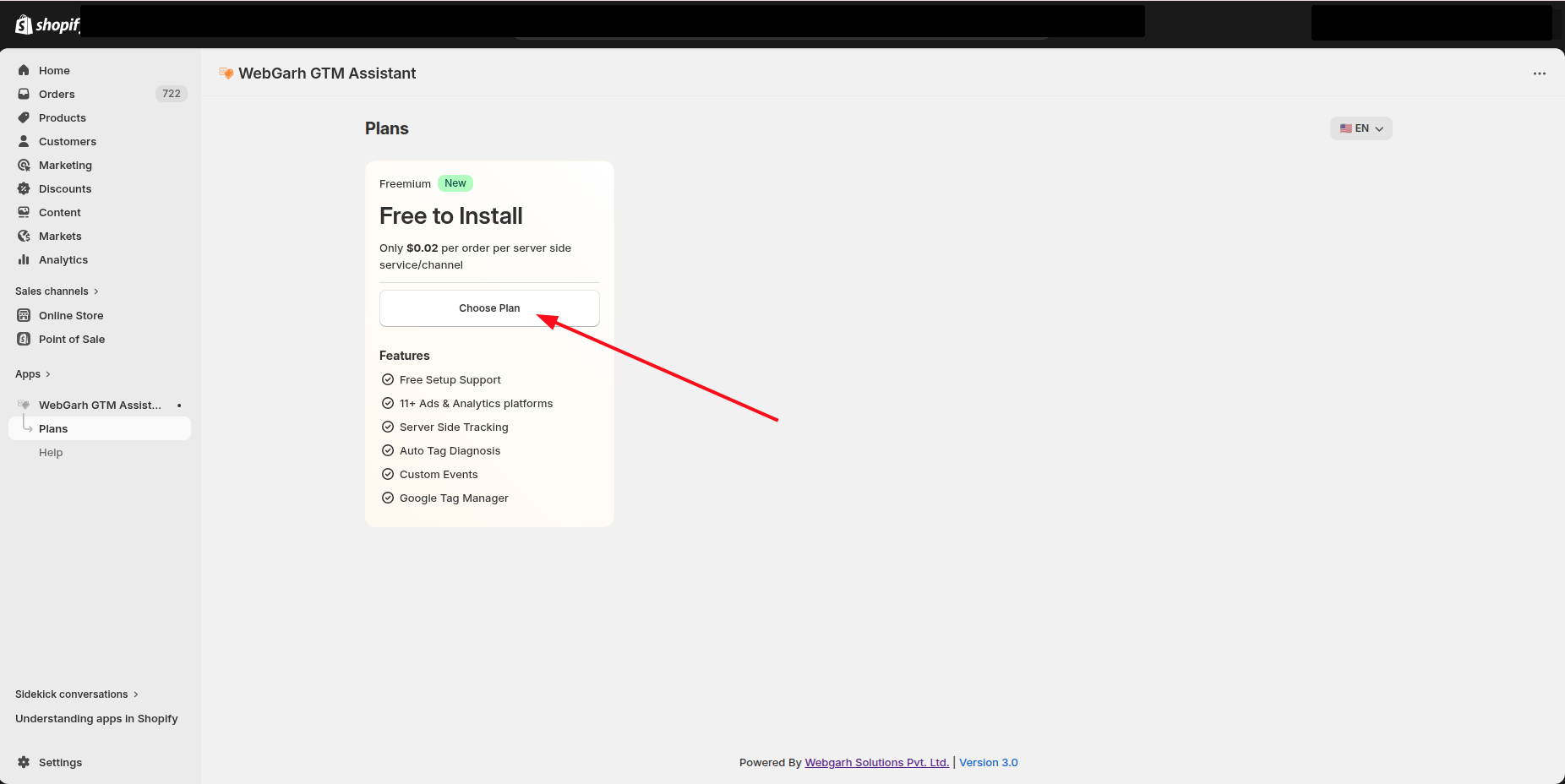
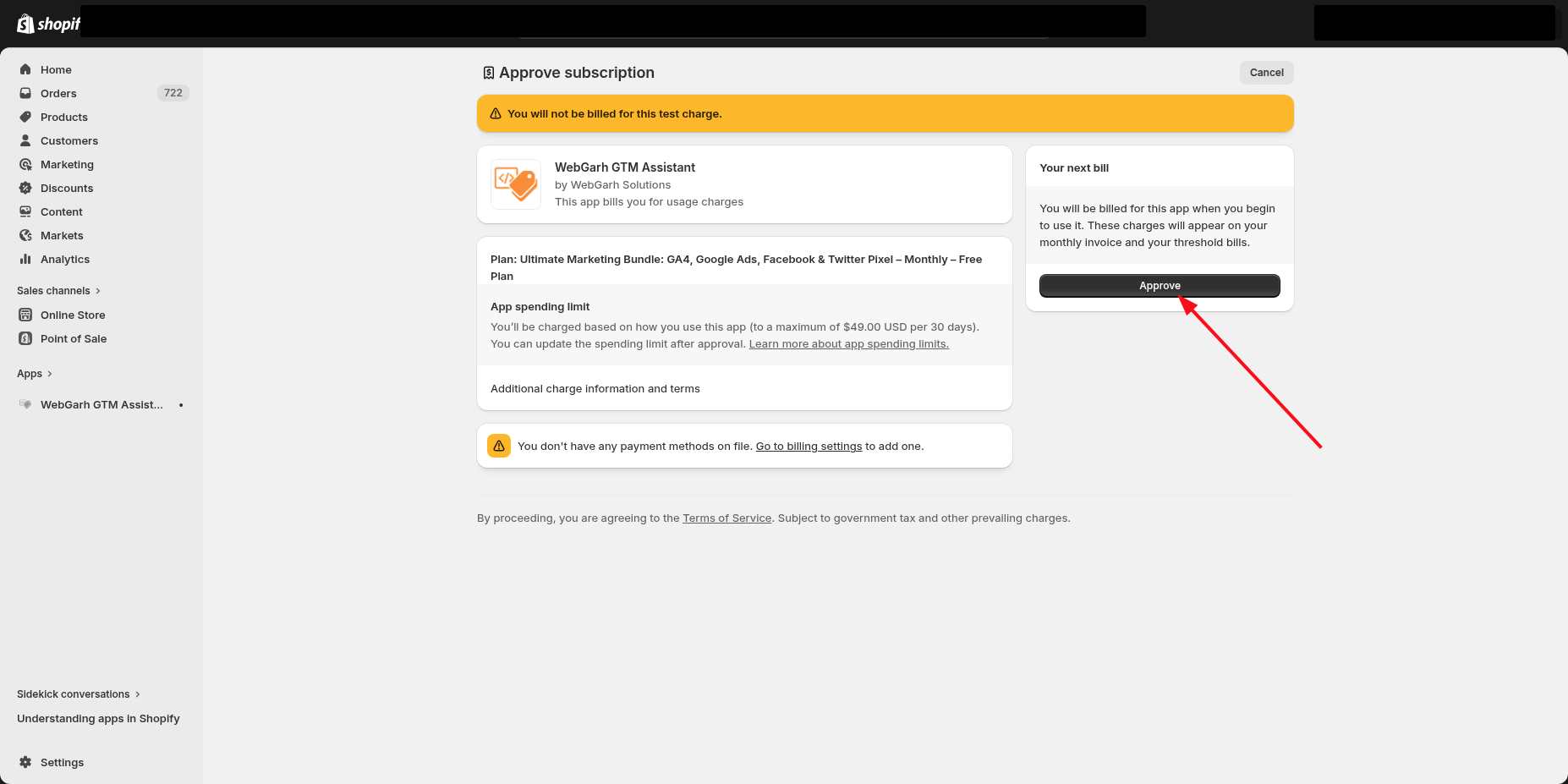
- Choose the plan you want to use. Pay as you go costs $0.02 per order for each connected server-side platform, GA4 included. Browser-only tools are free.
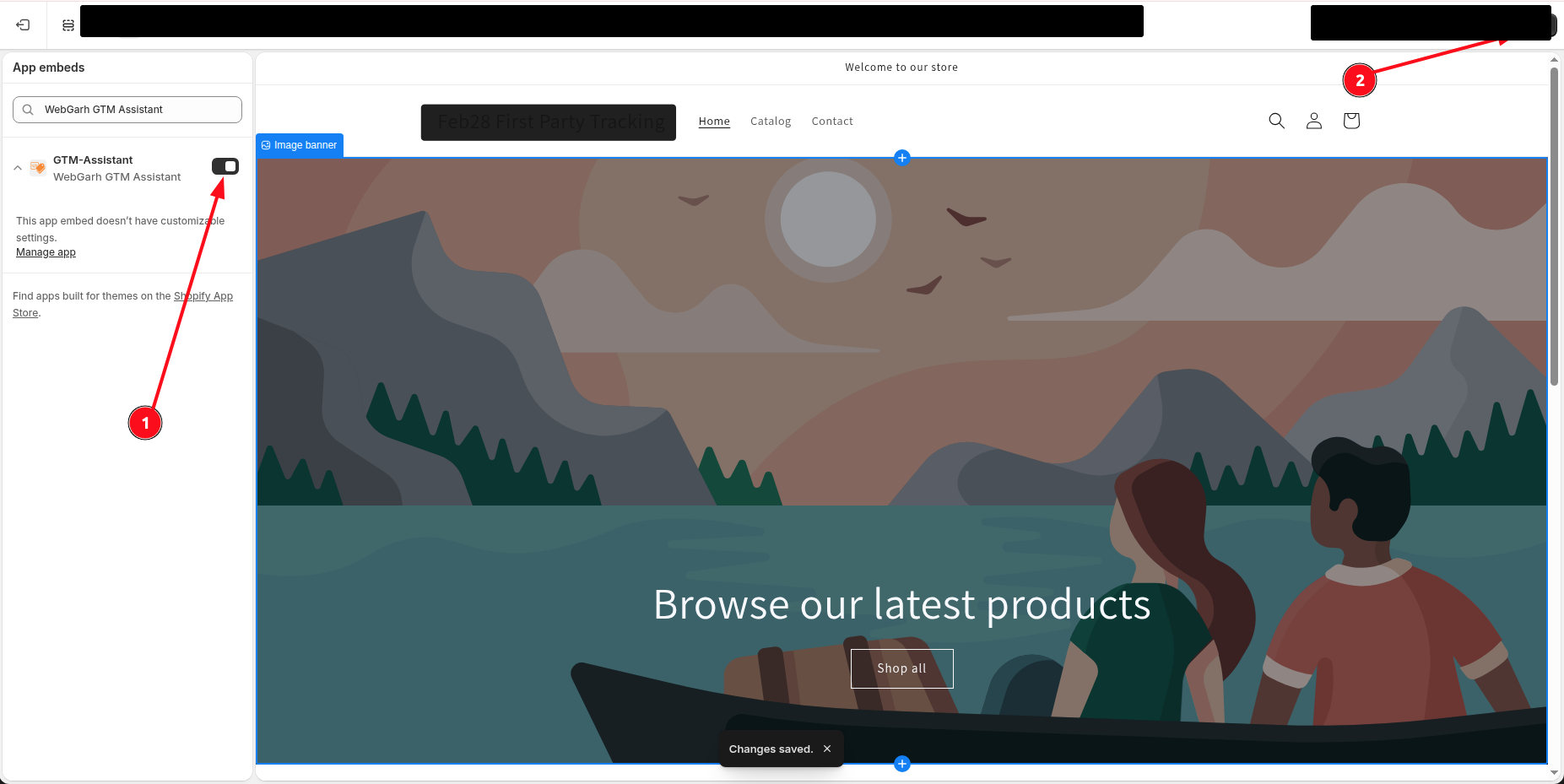
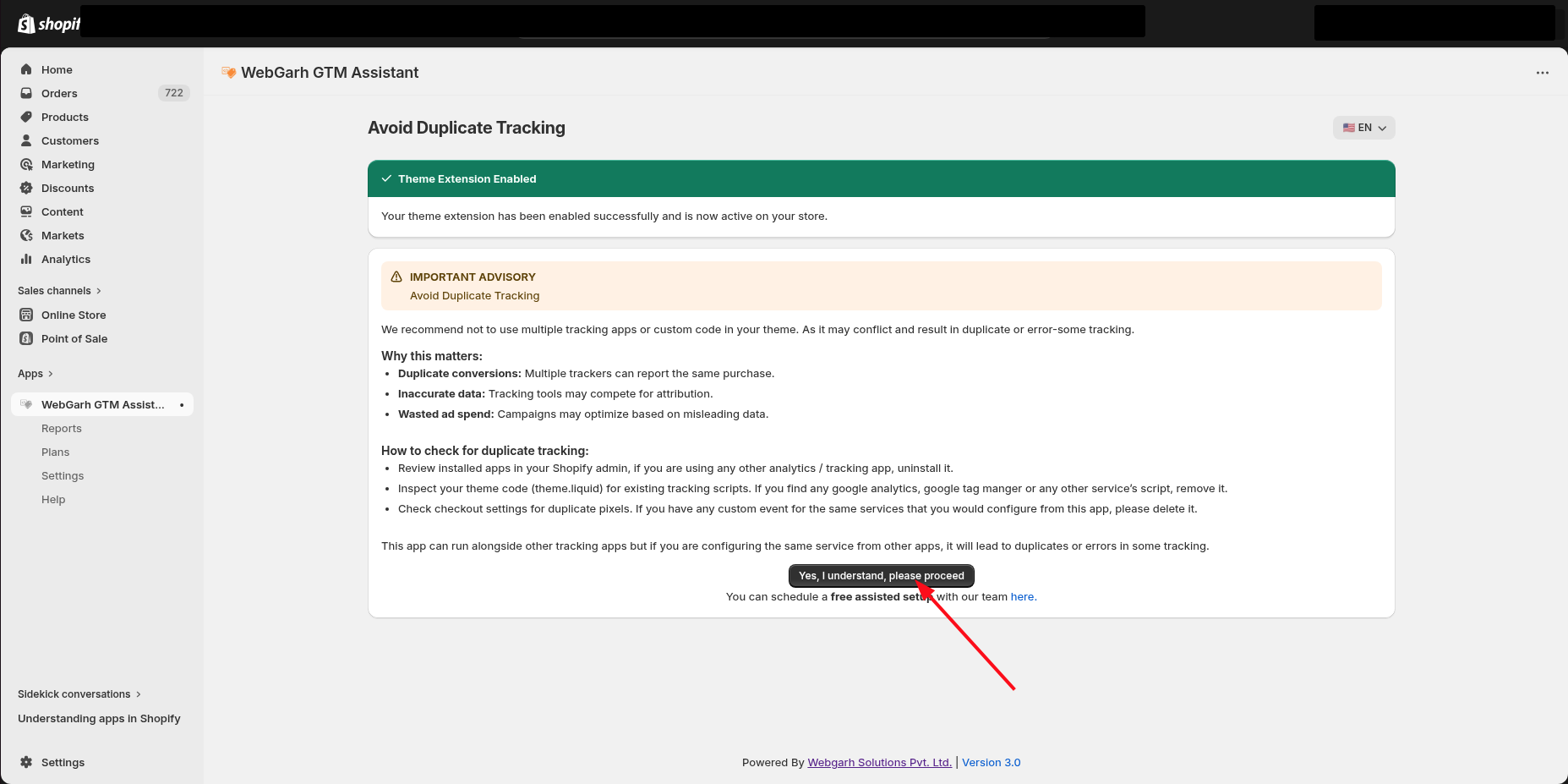
Enable the app embed
- In Shopify, open the Theme Editor from the app prompt.
- Toggle the Webgarh App Embed to ON.
- Save the theme changes so the app can safely track visitors on the storefront.
The app embed must be enabled before storefront tracking can run correctly.
Visual Walkthrough
Use the screenshots below alongside the steps above to match each instruction with the correct screen in the platform.

Still need help?
Our team can walk you through this. Contact support or message us on WhatsApp.