Connect Microsoft Advertising so Webgarh GTM Assistant can send accurate UET conversion data for Shopify activity.
Setup Steps
Connect Microsoft Advertising
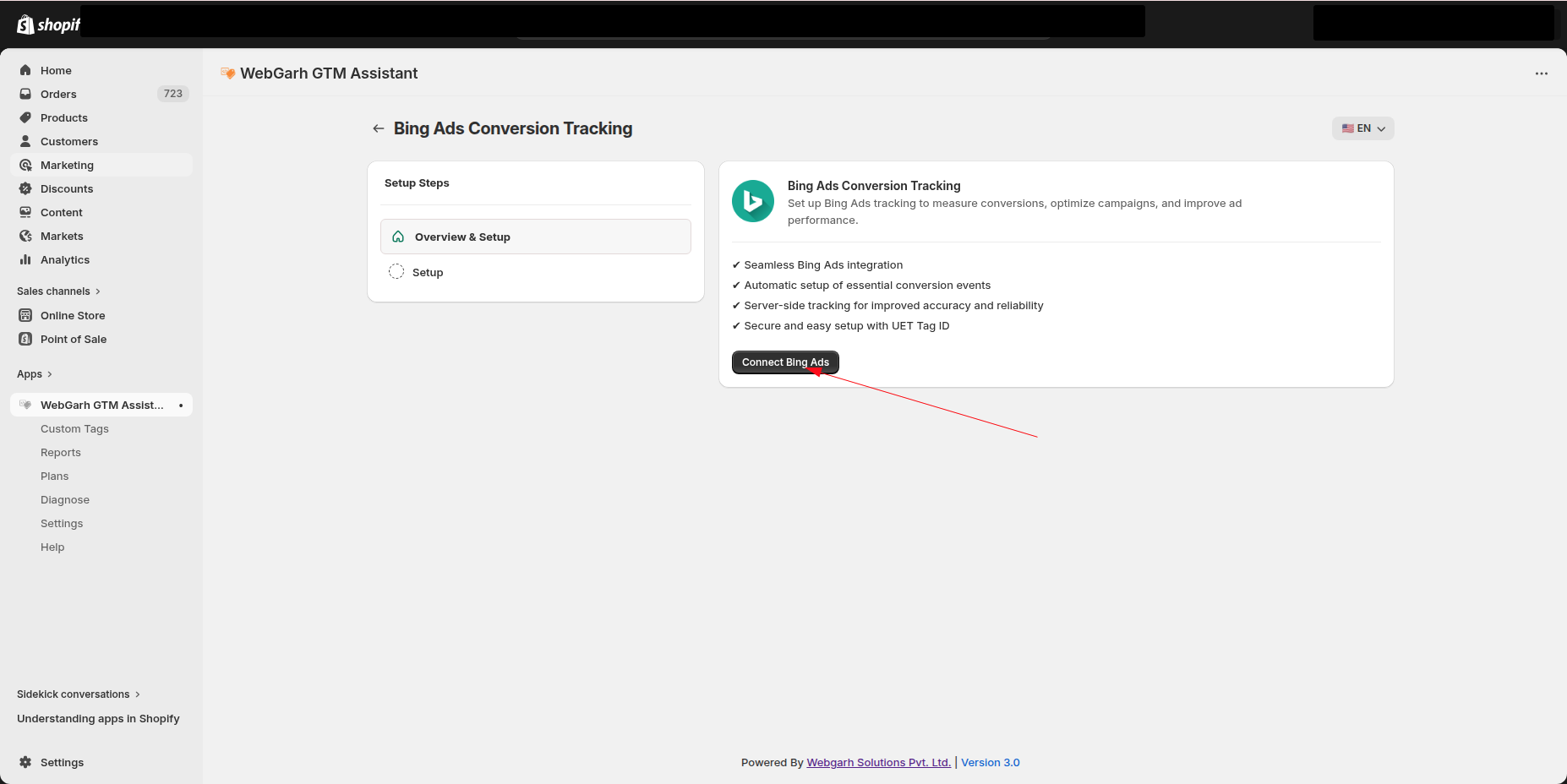
- In Webgarh GTM Assistant, click Login for Bing Ads.
- Sign in with your Microsoft Advertising account.
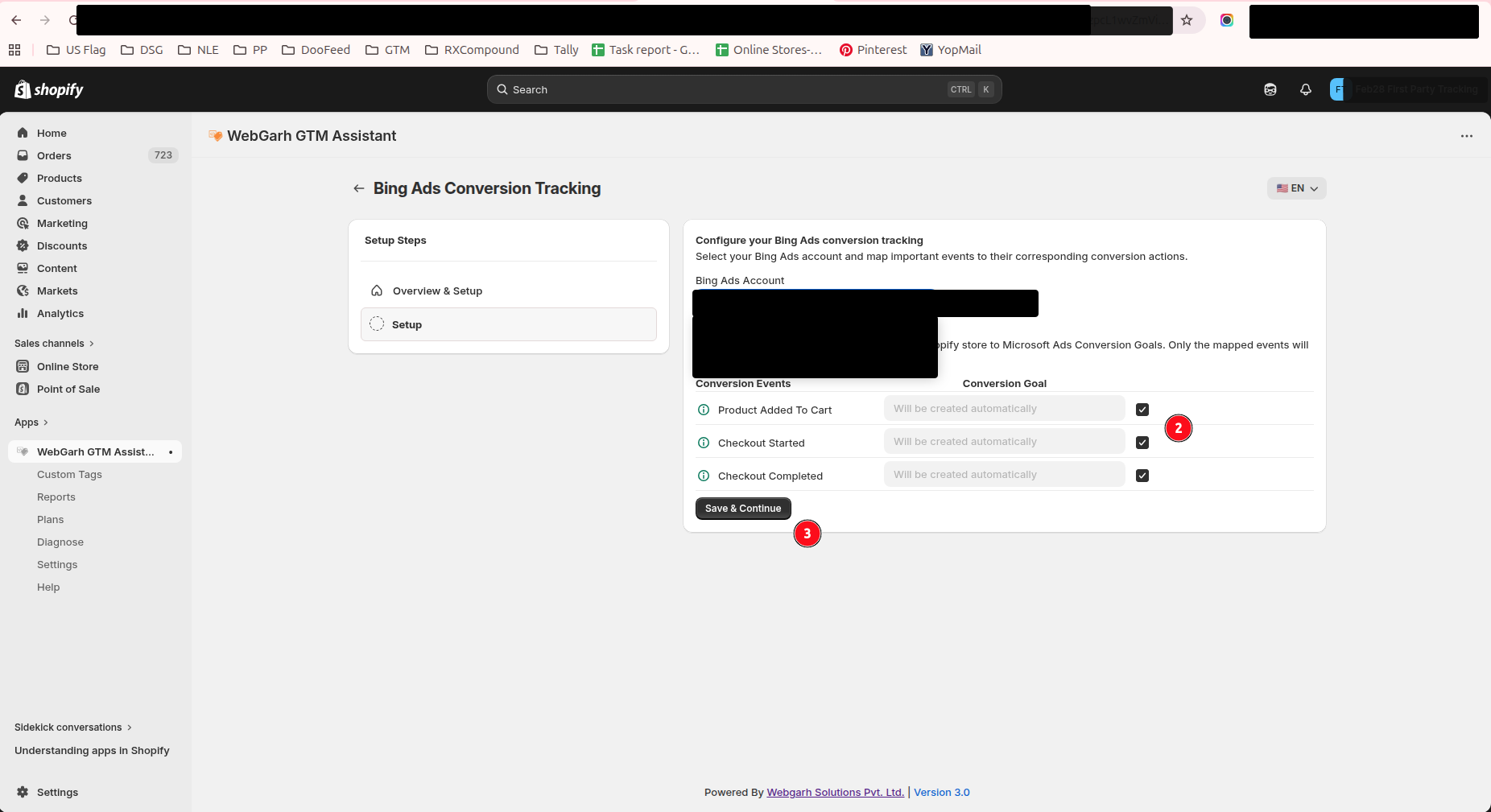
- Select the ad account used for your store.
Choose conversion goals
- Pick the conversion goals you want to track.
- Select all recommended events such as Purchase, Add to Cart, and Begin Checkout for better optimization.
- Click Save to finalize the connection.
New conversion goals typically take about 12 hours to verify the data stream. Microsoft reports may take a few hours to update visually.
Visual Walkthrough
Use the screenshots below alongside the steps above to match each instruction with the correct screen in the platform.
Still need help?
Our team can walk you through this. Contact support or message us on WhatsApp.