Connect Outbrain so Webgarh GTM Assistant can send Shopify events that help Outbrain optimize campaigns toward users likely to convert.
Setup Steps
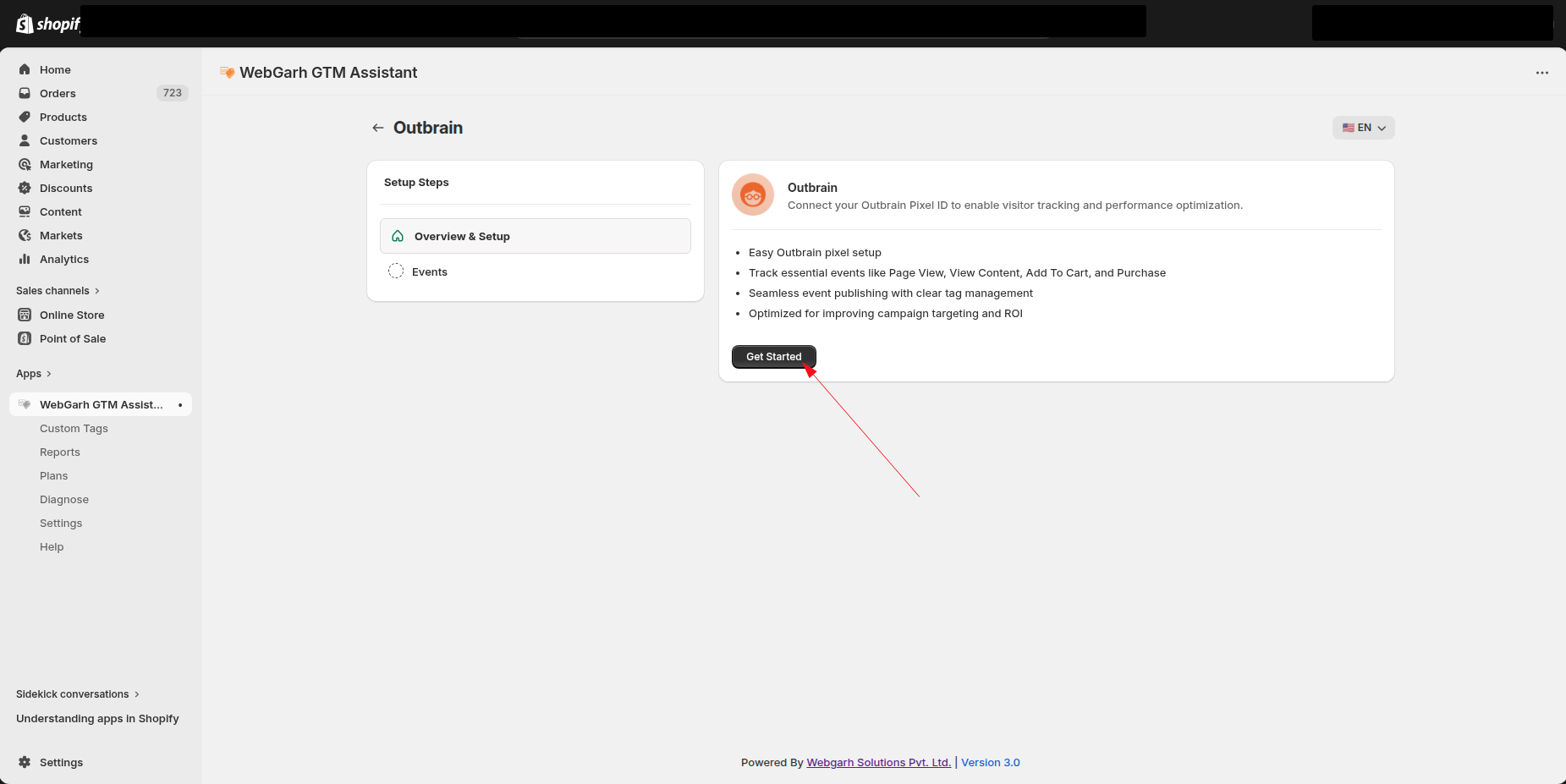
Link Outbrain to Webgarh GTM Assistant
- In Webgarh GTM Assistant, find the Outbrain section and click Connect.
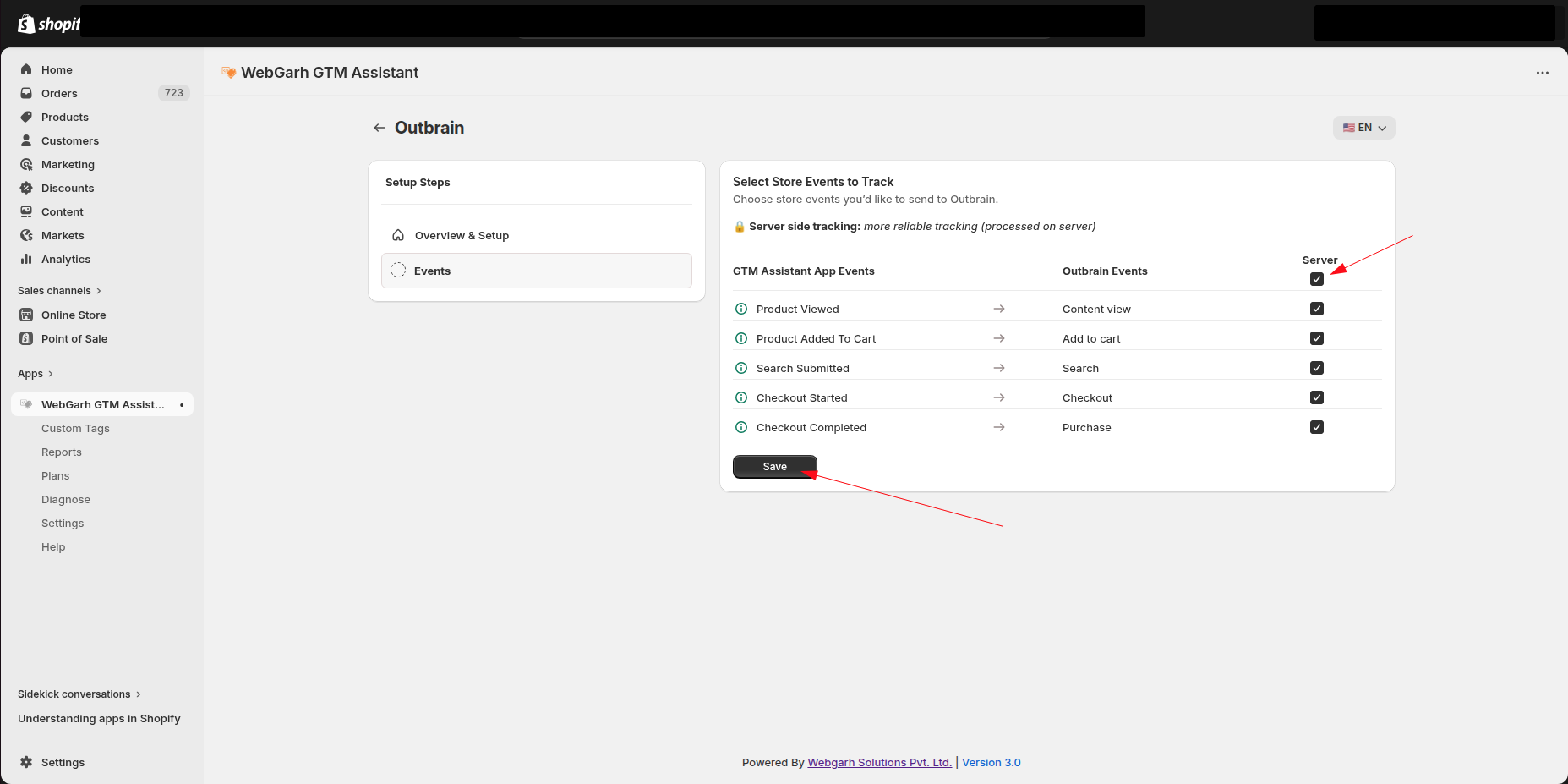
- Select the events you want to track.
- Choose all recommended events if you want Outbrain to optimize from Add to Cart and Initiate Checkout signals.
- Click Save.
Tracking Add to Cart and Initiate Checkout can help Outbrain Conversion Bid Strategy optimize beyond final purchases.
Visual Walkthrough
Use the screenshots below alongside the steps above to match each instruction with the correct screen in the platform.
Still need help?
Our team can walk you through this. Contact support or message us on WhatsApp.