Connect Snapchat Ads by collecting your Pixel ID and Conversions API token, then selecting the events Webgarh GTM Assistant should send.
Setup Steps
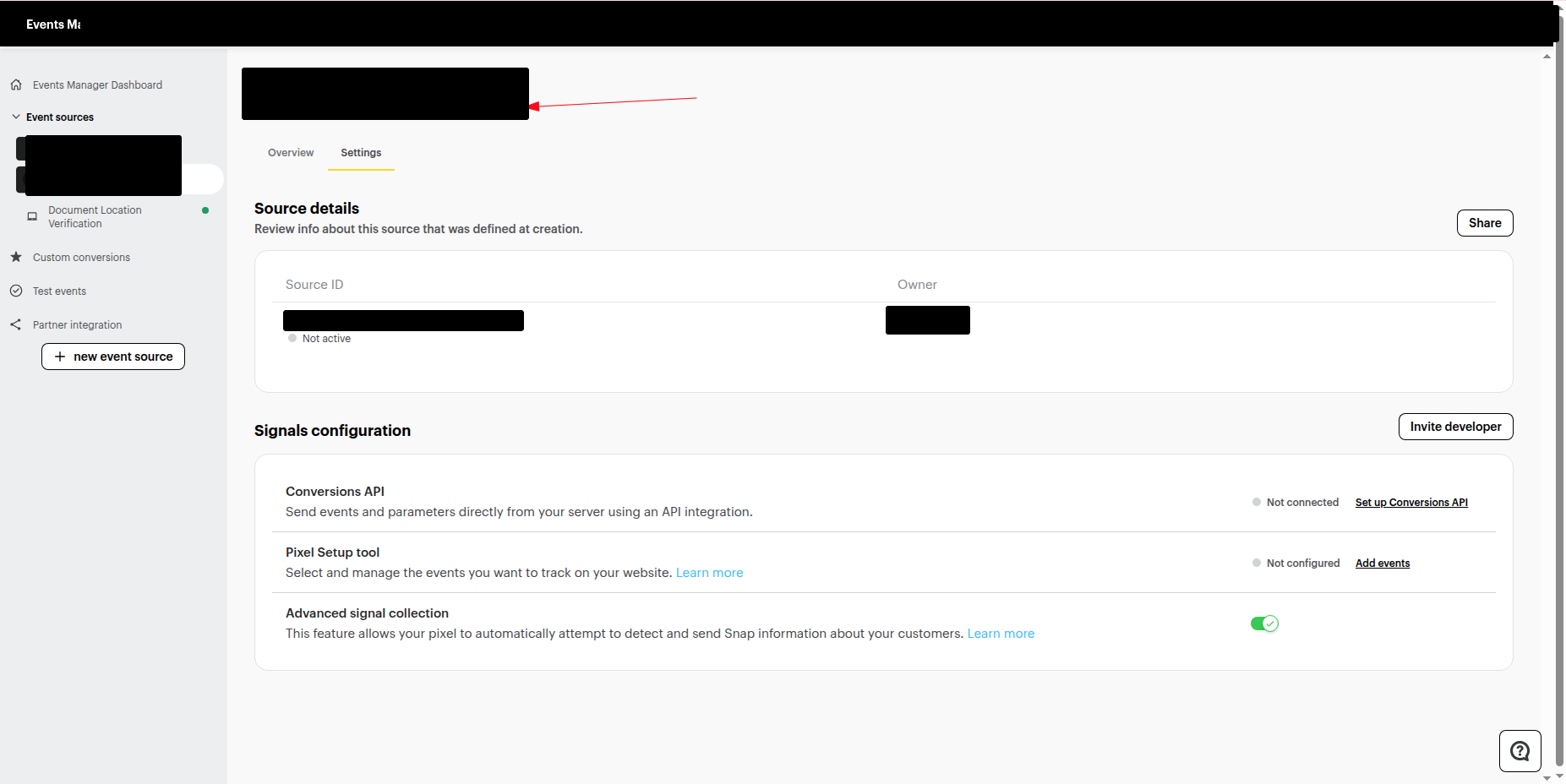
Find your Pixel ID
- Log in to Snapchat Ads Manager.
- Open Event Manager.
- Select your event source or website.
- Copy the Snapchat Pixel ID listed below the event source name.
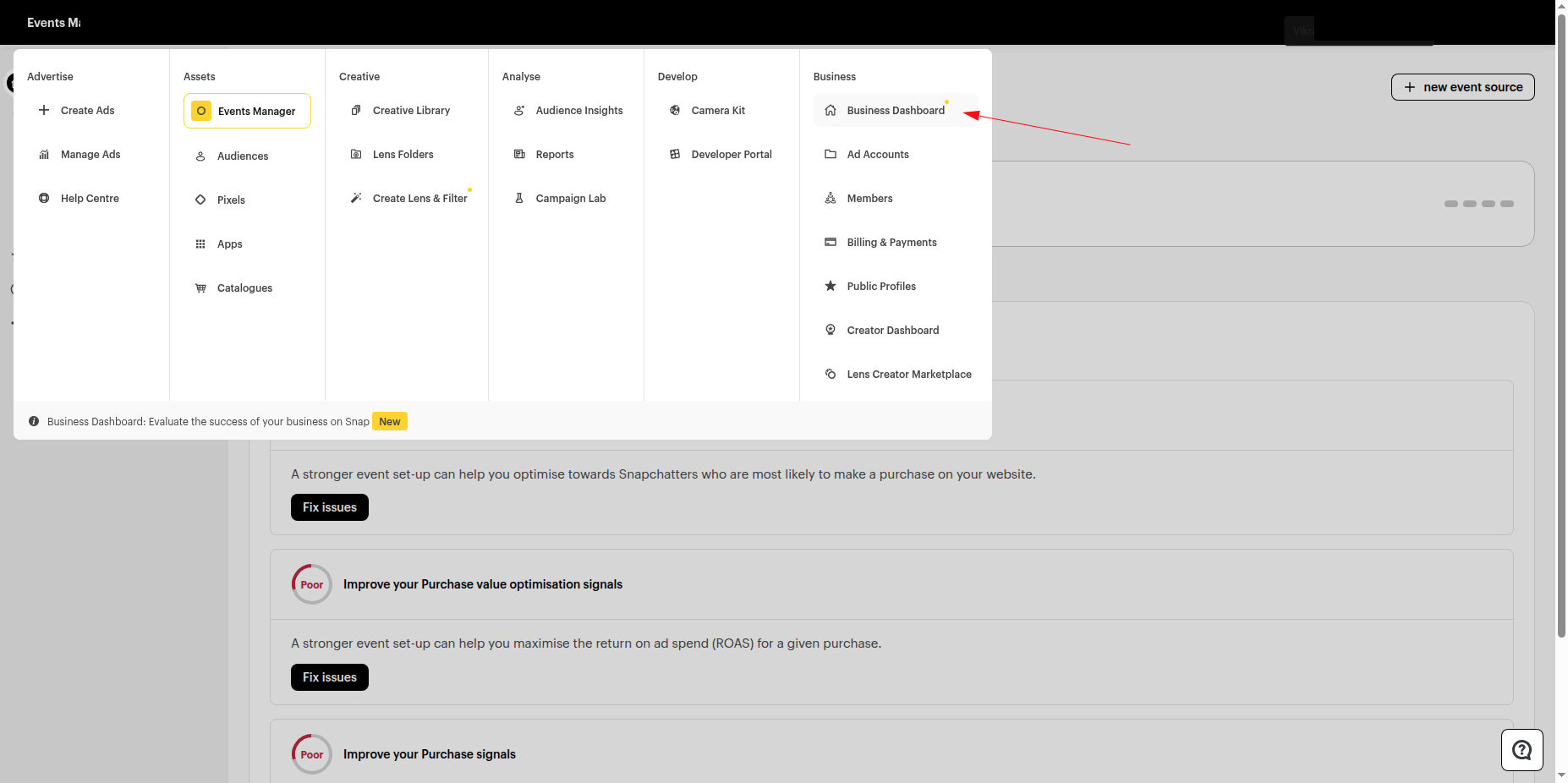
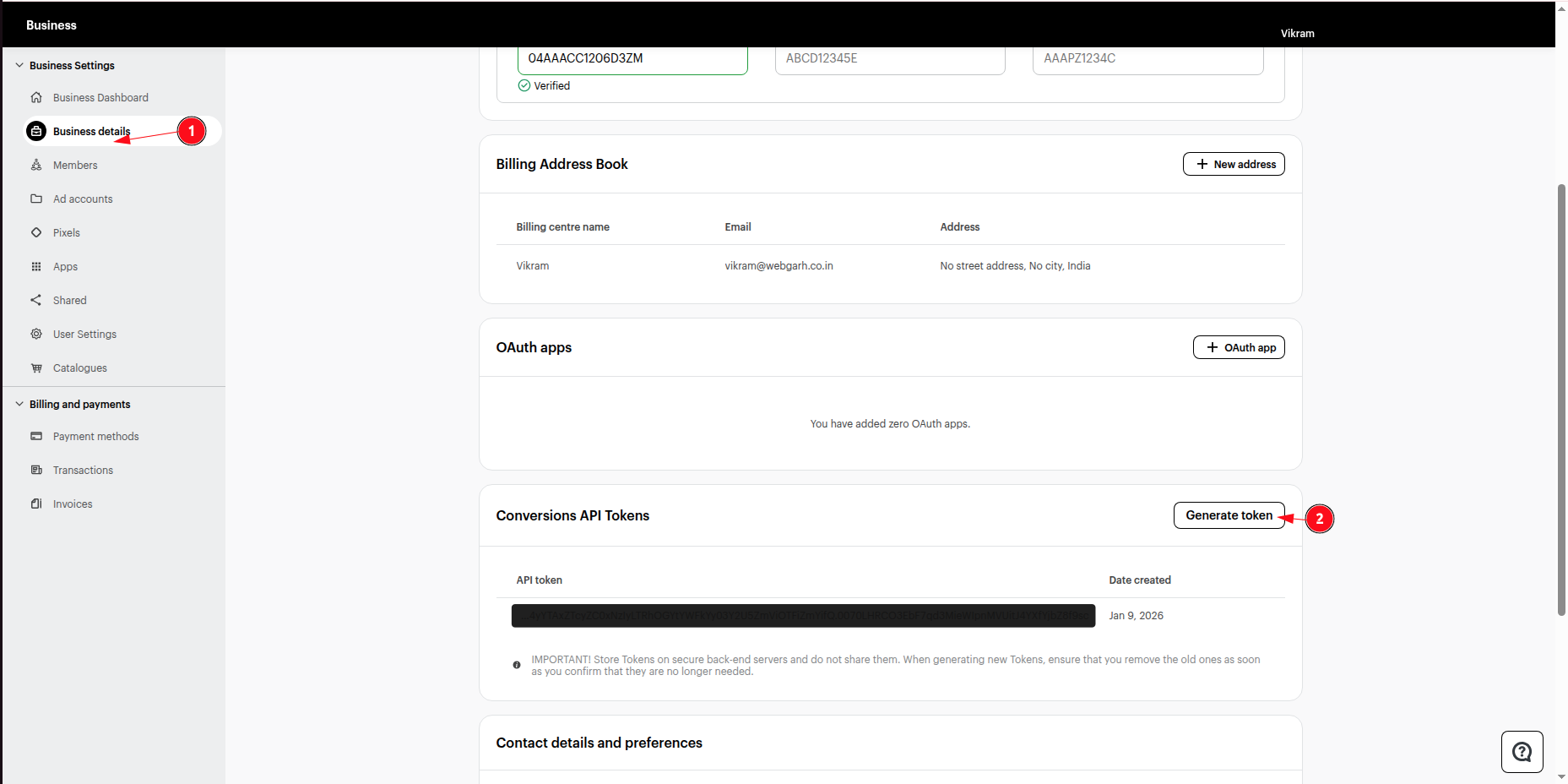
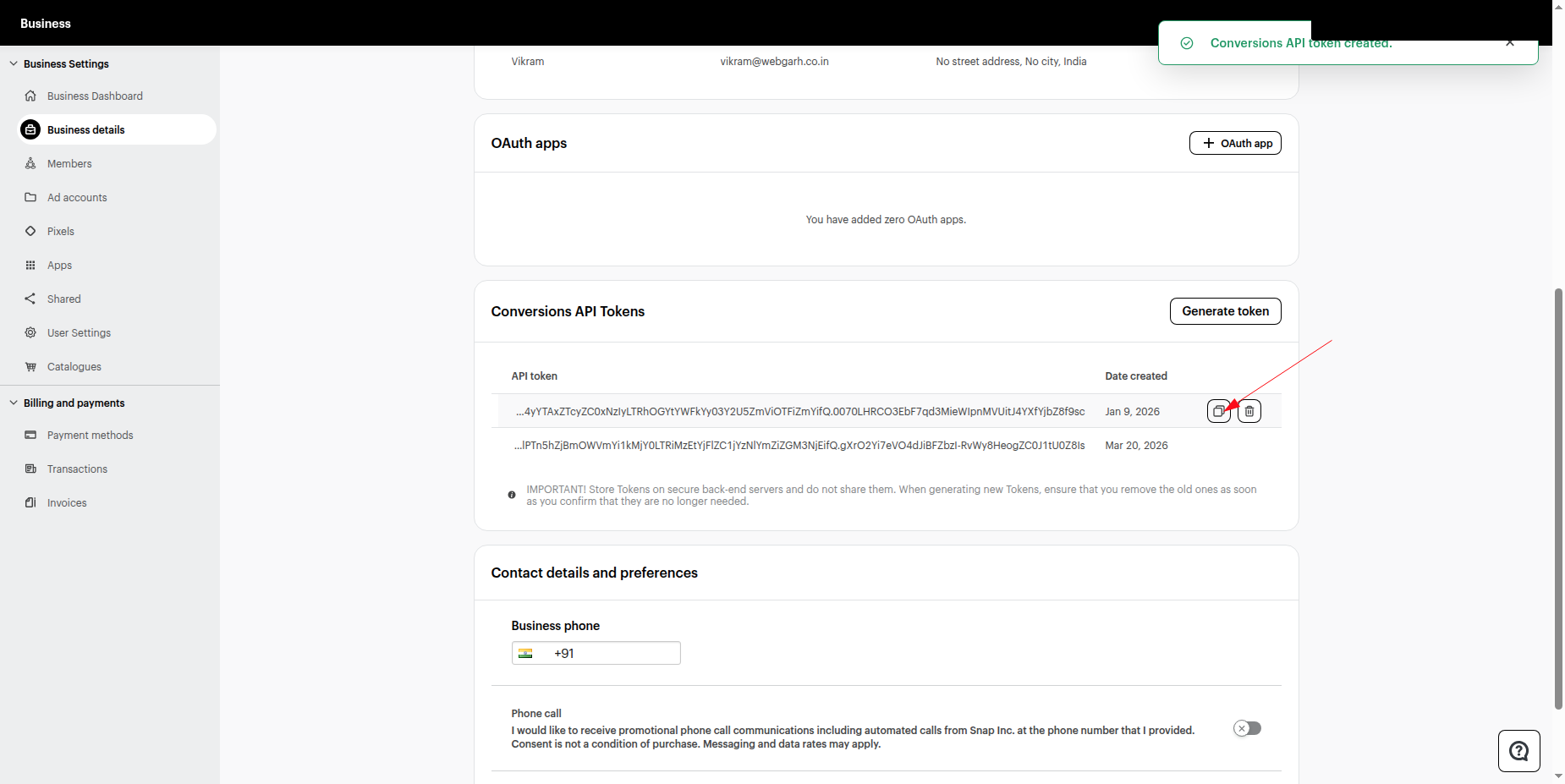
Generate your Conversions API token
- Open Business Dashboard in Snapchat Ads Manager.
- Go to Business Details.
- Scroll to Conversions API Tokens.
- Click Generate Token and copy the generated token.
Connect in Webgarh GTM Assistant
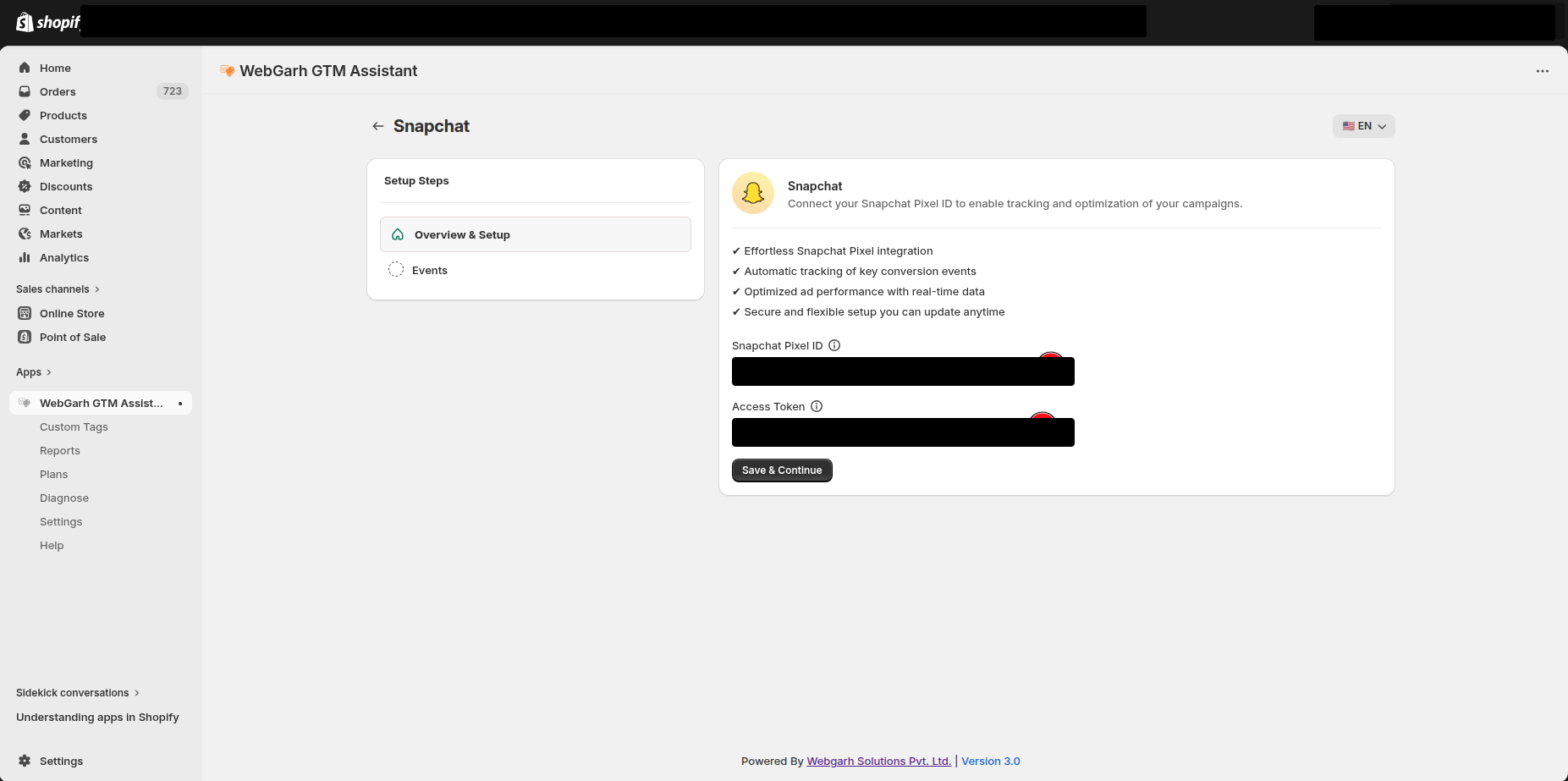
- Open the Snapchat Ads section in Webgarh GTM Assistant and click Connect.
- Paste your Snapchat Pixel ID and Access Token.
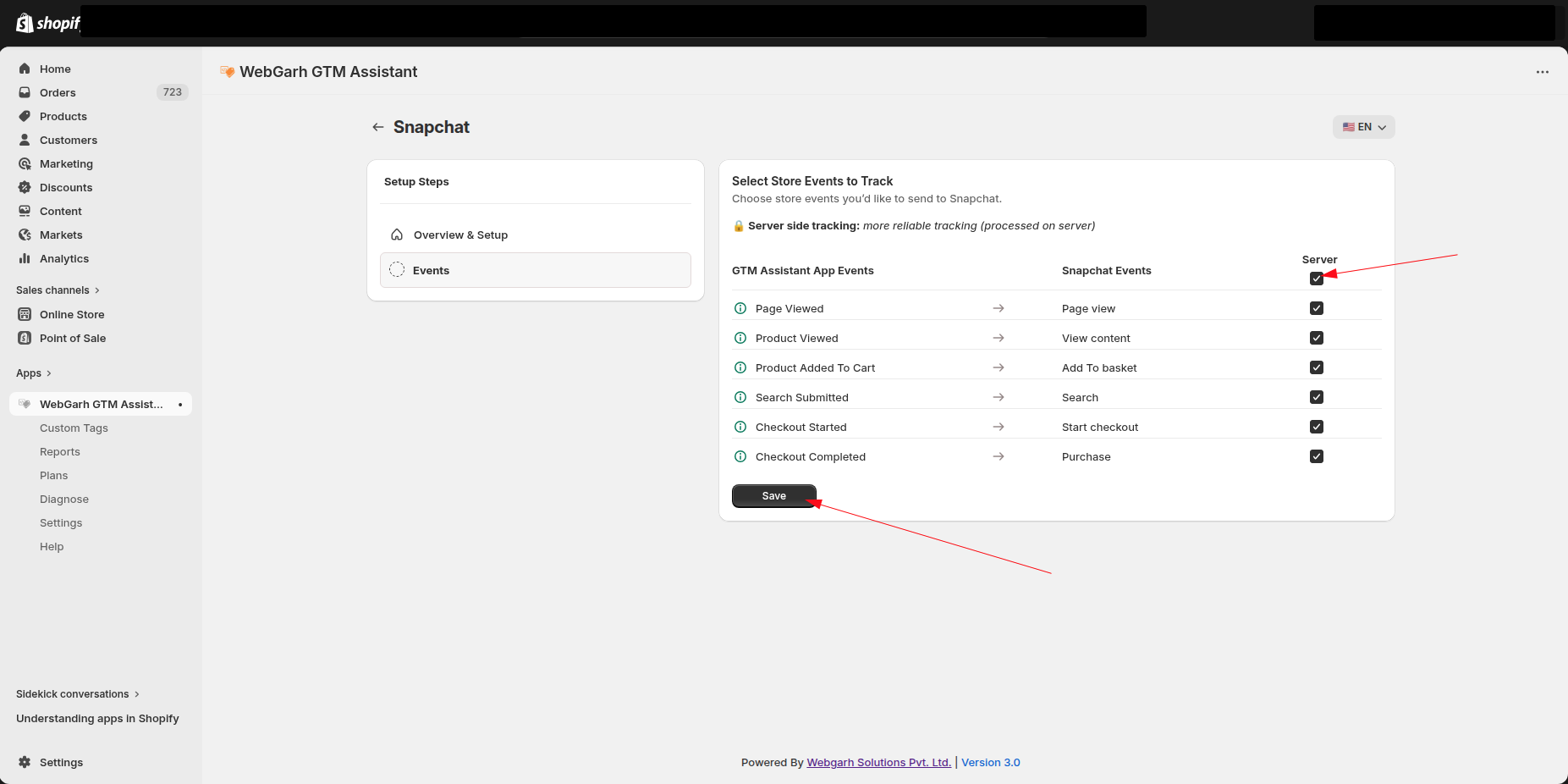
- Select the events you want to track.
- Click Save and wait for Connected status.
Select all recommended events so Snapchat can use Page View and Add to Cart behavior for better audience learning.
Visual Walkthrough
Use the screenshots below alongside the steps above to match each instruction with the correct screen in the platform.
Still need help?
Our team can walk you through this. Contact support or message us on WhatsApp.